 How-to
15 min read
Galaxy Z Fold8, Fold8 Ultra and Flip8 privacy guide
Lock down the Galaxy Z Fold8, Fold8 Ultra and Z Flip8: cover screen leaks, app continuity, the 13-try lockout, Galaxy AI, Samsung ad opt-outs and debloat.
How-to
15 min read
Galaxy Z Fold8, Fold8 Ultra and Flip8 privacy guide
Lock down the Galaxy Z Fold8, Fold8 Ultra and Z Flip8: cover screen leaks, app continuity, the 13-try lockout, Galaxy AI, Samsung ad opt-outs and debloat.
Guides
Plain-language degoogling guides: install GrapheneOS, debloat Android, block trackers, replace Google apps and build privacy habits. No jargon, no fear.
How-to
15 min read
Galaxy Z Fold8, Fold8 Ultra and Flip8 privacy guide
Lock down the Galaxy Z Fold8, Fold8 Ultra and Z Flip8: cover screen leaks, app continuity, the 13-try lockout, Galaxy AI, Samsung ad opt-outs and debloat.
 How-to
6 min read
Privacy guides for the 10 most popular Android phones in the US
The 10 best-selling Android phones in the US right now, and a step-by-step privacy guide for each one: Samsung Galaxy, Google Pixel and Motorola moto g.
How-to
6 min read
Privacy guides for the 10 most popular Android phones in the US
The 10 best-selling Android phones in the US right now, and a step-by-step privacy guide for each one: Samsung Galaxy, Google Pixel and Motorola moto g.
 How-to
16 min read
Pixel 11 privacy guide: the most private setup without GrapheneOS
Lock down the Google Pixel 11: Advanced Protection, Proactive Assistance, Gemini and ad settings, plus why GrapheneOS doesn't support the Pixel 11 yet.
How-to
16 min read
Pixel 11 privacy guide: the most private setup without GrapheneOS
Lock down the Google Pixel 11: Advanced Protection, Proactive Assistance, Gemini and ad settings, plus why GrapheneOS doesn't support the Pixel 11 yet.
 How-to
17 min read
Pixel 10a privacy guide: harden it or install GrapheneOS
Two ways to make the Google Pixel 10a private: lock down stock Android 17 step by step, or install GrapheneOS. Includes eSIM, Verizon and Wallet caveats.
How-to
17 min read
Pixel 10a privacy guide: harden it or install GrapheneOS
Two ways to make the Google Pixel 10a private: lock down stock Android 17 step by step, or install GrapheneOS. Includes eSIM, Verizon and Wallet caveats.
 How-to
17 min read
Pixel 10 privacy guide: tame the AI or switch to GrapheneOS
Pixel 10 privacy, step by step: rein in Magic Cue, Gemini and ad tracking on Android 17, or install GrapheneOS. Covers eSIM, Verizon and Wallet limits.
How-to
17 min read
Pixel 10 privacy guide: tame the AI or switch to GrapheneOS
Pixel 10 privacy, step by step: rein in Magic Cue, Gemini and ad tracking on Android 17, or install GrapheneOS. Covers eSIM, Verizon and Wallet limits.
 How-to
14 min read
Moto g power 2026 privacy guide: set it up once for the long haul
The moto g power 2026 gets security updates to January 2029. Clear its long preload list, set up Secure folder, and lock down Motorola and Google data.
How-to
14 min read
Moto g power 2026 privacy guide: set it up once for the long haul
The moto g power 2026 gets security updates to January 2029. Clear its long preload list, set up Secure folder, and lock down Motorola and Google data.
 How-to
13 min read
Moto g play 2026 privacy guide: a cheap phone, set up carefully
Lock down the moto g play 2026: Motorola's data switches, Smart Feed, preloads, Google ads, prepaid carrier opt-outs, and the Amazon model mix-up to avoid.
How-to
13 min read
Moto g play 2026 privacy guide: a cheap phone, set up carefully
Lock down the moto g play 2026: Motorola's data switches, Smart Feed, preloads, Google ads, prepaid carrier opt-outs, and the Amazon model mix-up to avoid.
 How-to
13 min read
Moto g 2026 privacy guide: what to turn off and what to keep
Make the moto g 2026 more private: turn off Smart Feed promos, disable Facebook and LinkedIn, then tighten Google, AI, location and lock settings.
How-to
13 min read
Moto g 2026 privacy guide: what to turn off and what to keep
Make the moto g 2026 more private: turn off Smart Feed promos, disable Facebook and LinkedIn, then tighten Google, AI, location and lock settings.
 How-to
14 min read
Galaxy S26 Ultra privacy guide: Privacy Display and Galaxy AI
Set up the Galaxy S26 Ultra for privacy: Privacy Display modes, on-device Galaxy AI, One UI 9 tools, Samsung ad opt-outs, theft protection and debloat.
How-to
14 min read
Galaxy S26 Ultra privacy guide: Privacy Display and Galaxy AI
Set up the Galaxy S26 Ultra for privacy: Privacy Display modes, on-device Galaxy AI, One UI 9 tools, Samsung ad opt-outs, theft protection and debloat.
 How-to
14 min read
Galaxy S26 privacy guide: lock down Samsung's flagship
Harden the Galaxy S26 on One UI 9: on-device Galaxy AI, Samsung data opt-outs, permissions, theft protection, Private DNS, debloat and carrier ads.
How-to
14 min read
Galaxy S26 privacy guide: lock down Samsung's flagship
Harden the Galaxy S26 on One UI 9: on-device Galaxy AI, Samsung data opt-outs, permissions, theft protection, Private DNS, debloat and carrier ads.
 How-to
14 min read
Galaxy A37 5G privacy guide: mid-range settings and AI
Harden the mid-range Galaxy A37 5G: Privacy Alerts, Awesome Intelligence choices, Samsung ad opt-outs, Auto Blocker, theft protection and ADB debloat.
How-to
14 min read
Galaxy A37 5G privacy guide: mid-range settings and AI
Harden the mid-range Galaxy A37 5G: Privacy Alerts, Awesome Intelligence choices, Samsung ad opt-outs, Auto Blocker, theft protection and ADB debloat.
 How-to
14 min read
Galaxy A17 5G privacy guide: every setting that matters
Lock down the budget Galaxy A17 5G: Auto Blocker, Samsung ad opt-outs, theft protection, Private DNS and ADB debloat on a phone with quarterly patches.
How-to
14 min read
Galaxy A17 5G privacy guide: every setting that matters
Lock down the budget Galaxy A17 5G: Auto Blocker, Samsung ad opt-outs, theft protection, Private DNS and ADB debloat on a phone with quarterly patches.
 How-to
12 min read
Remove bloatware with ADB — no root
Remove Android bloatware without root: exact adb commands and UAD-ng safe lists for Facebook stubs, OEM assistants and ad services, plus how to undo it.
How-to
12 min read
Remove bloatware with ADB — no root
Remove Android bloatware without root: exact adb commands and UAD-ng safe lists for Facebook stubs, OEM assistants and ad services, plus how to undo it.
 How-to
11 min read
Private DNS, permissions and settings lockdown
A 30-minute settings pass for stock Android: tracker-blocking Private DNS, the permissions that matter, smarter location, and Google toggles to turn off.
How-to
11 min read
Private DNS, permissions and settings lockdown
A 30-minute settings pass for stock Android: tracker-blocking Private DNS, the permissions that matter, smarter location, and Google toggles to turn off.
 Explainer
8 min read
Privacy habits that actually matter
The privacy habits that matter most on any phone: fewer apps, separate identities, encrypted messaging, a spare number, sane backups. Skip the theatre.
Explainer
8 min read
Privacy habits that actually matter
The privacy habits that matter most on any phone: fewer apps, separate identities, encrypted messaging, a spare number, sane backups. Skip the theatre.
 How-to
14 min read
Max-degoogle any Android phone — no flashing required
Can't install GrapheneOS? Strip most of Google and OEM tracking from any Android phone: debloat, firewall, Private DNS, settings, app swaps and habits.
How-to
14 min read
Max-degoogle any Android phone — no flashing required
Can't install GrapheneOS? Strip most of Google and OEM tracking from any Android phone: debloat, firewall, Private DNS, settings, app swaps and habits.
 How-to
10 min read
Install apps straight from GitHub with Obtainium
Some of the best private apps only publish on GitHub. Obtainium installs and updates them from the developer's own releases: setup, settings, one-tap list.
How-to
10 min read
Install apps straight from GitHub with Obtainium
Some of the best private apps only publish on GitHub. Obtainium installs and updates them from the developer's own releases: setup, settings, one-tap list.
 How-to
10 min read
Block internet for unwanted apps — firewalls without root
Block internet access for unwanted Android apps without root using NetGuard or RethinkDNS: how VPN-based firewalls work, the one-VPN catch, what breaks.
Apps
8 min read
The private app starter pack, 2026
Signal, Proton, Organic Maps, Aegis — the apps we install on every phone we set up, and the one category where we tell you to keep a Google app.
How-to
10 min read
Block internet for unwanted apps — firewalls without root
Block internet access for unwanted Android apps without root using NetGuard or RethinkDNS: how VPN-based firewalls work, the one-VPN catch, what breaks.
Apps
8 min read
The private app starter pack, 2026
Signal, Proton, Organic Maps, Aegis — the apps we install on every phone we set up, and the one category where we tell you to keep a Google app.
 For business
12 min read
Private phones for small teams
What it actually takes to move a five-person company off stock Android and Google Workspace — the setup we recommend, the costs, and what breaks.
For business
12 min read
Private phones for small teams
What it actually takes to move a five-person company off stock Android and Google Workspace — the setup we recommend, the costs, and what breaks.
 How-to
20 min read
Install GrapheneOS from your browser
The full walkthrough. No command line, no soldering, no realistic risk of bricking — about 20 minutes from stock Pixel to GrapheneOS.
How-to
20 min read
Install GrapheneOS from your browser
The full walkthrough. No command line, no soldering, no realistic risk of bricking — about 20 minutes from stock Pixel to GrapheneOS.
 Gear
6 min read
Do you actually need a Faraday bag?
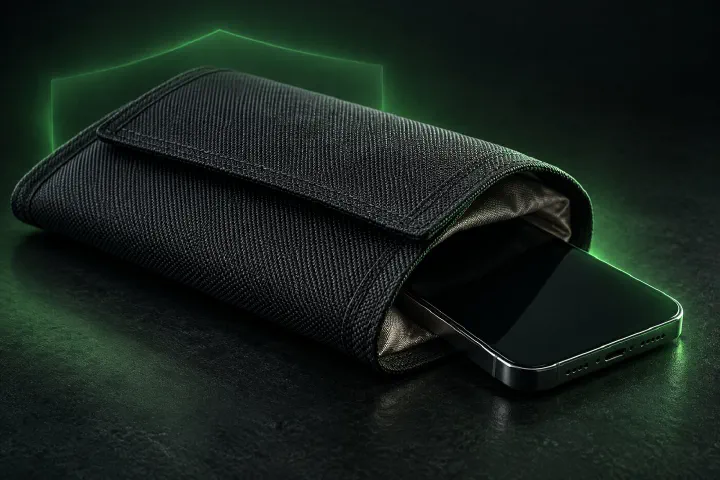
When signal-blocking gear is genuinely useful, when it's theater, and how to test one in thirty seconds before you trust it.
Gear
6 min read
Do you actually need a Faraday bag?
When signal-blocking gear is genuinely useful, when it's theater, and how to test one in thirty seconds before you trust it.
 Beginner
15 min read
Degoogle your life in one weekend
A one-weekend plan to degoogle your life: swap your phone OS, email, browser, search and maps without losing your contacts, photos or your mind.
Beginner
15 min read
Degoogle your life in one weekend
A one-weekend plan to degoogle your life: swap your phone OS, email, browser, search and maps without losing your contacts, photos or your mind.
 Explainer
9 min read
What Is a De-Googled Phone? (And Who Actually Needs One)
A plain-language guide to de-Googled Android: what gets removed, what still works, what breaks, and how to choose between GrapheneOS, CalyxOS and /e/OS.
Explainer
9 min read
What Is a De-Googled Phone? (And Who Actually Needs One)
A plain-language guide to de-Googled Android: what gets removed, what still works, what breaks, and how to choose between GrapheneOS, CalyxOS and /e/OS.
 Explainer
10 min read
GrapheneOS vs CalyxOS vs /e/OS
GrapheneOS, CalyxOS or /e/OS? Three private Android systems, three philosophies. Compare security, apps, banking and hardware, then pick in minutes.
Explainer
10 min read
GrapheneOS vs CalyxOS vs /e/OS
GrapheneOS, CalyxOS or /e/OS? Three private Android systems, three philosophies. Compare security, apps, banking and hardware, then pick in minutes.
Where to start
These guides cover the whole job of taking back your phone, from choosing a private operating system to the everyday habits that keep it private. You don’t need to read them in order. Pick the path that matches your phone.
If you have a Pixel, or you’re happy to buy one, start with installing GrapheneOS in a browser tab. It’s the most private option we cover, and the install takes about twenty minutes on a computer with a supported browser such as Chrome, Edge or Brave.
If your phone can’t run a private OS, you can still remove most of the tracking. Begin with the full no-flashing degoogle plan, then go deeper with the settings lockdown, debloating over ADB and a per-app firewall. None of these need root.
If you’re new to all of this, read what degoogling really means first, then plan a weekend with our step-by-step weekend guide.
What the guides cover
- Installing a private OS: GrapheneOS on Pixels, plus how it stacks up against CalyxOS and /e/OS.
- Debloating: removing preinstalled apps and Google services from stock Android with ADB, with a way to undo every step.
- Blocking trackers: Private DNS, permission settings and app firewalls that cut internet access for apps you don’t trust.
- Replacing Google apps: mail, maps, browser, two-factor codes and app stores, with our picks in the private app directory.
- Habits and threats: what actually matters day to day, whether a Faraday bag is worth it, and how small teams can roll out private phones.
Each card shows a topic tag (How-to, Explainer, Apps or For business) and an estimated reading time, so you can see at a glance what you’re getting into.
Words you’ll meet in these guides
- ADB (Android Debug Bridge): Google’s official command-line tool for talking to an Android phone from a computer. Our debloating guide uses it to remove apps without root.
- Bootloader: the program that starts the phone and decides which operating system it may load. Unlocking it is the first step of installing a private OS, and it erases the phone.
- Root: full administrator access to Android. None of our guides need it, and we don’t recommend it for most people.
- F-Droid, Aurora Store and Obtainium: three ways to install apps without the Google Play Store app. F-Droid hosts open-source apps, Aurora Store downloads Play Store apps anonymously, and Obtainium installs apps straight from a developer’s releases.
- Private DNS: an Android setting that sends your phone’s address lookups to a resolver you choose, which can block known tracker domains for every app at once.
Before you start any guide
Back up your photos, contacts and two-factor codes first. Debloating and settings changes can be undone, but unlocking a bootloader can’t be done without erasing the phone. If a step in a guide doesn’t match what you see on your phone, stop and check the official documentation for your OS or phone maker, since menus differ between brands and Android versions.
Not sure your phone can run a private OS at all? Run the two-step model lookup before you pick a guide. For what’s changed recently, from new OS releases to device support, see the latest degoogled Android stories.