Privacy gifts for Christmas 2026: ideas by budget
Privacy gifts for Christmas 2026 sorted by budget: security keys, privacy screens, a travel router and degoogled phones, and what each one protects.

The most useful privacy gift for most people is a hardware security key, and the biggest one is a phone that doesn’t report to Google. This list sorts those two and everything in between by budget, from under $50 to a flagship Pixel.
Facts were checked on November 24, 2026 against the makers’ and the GrapheneOS project’s own pages. We haven’t tested these products in hand. Amazon prices change daily in December, so we show a price band for each item and leave the exact number to the listing. Amazon links are affiliate links: same price for you, a small commission for us.
Christmas privacy gift ideas at a glance
| Gift | Budget | Good for | Where to look |
|---|---|---|---|
| Privacy screen and webcam cover kit | Under $50 | Commuters, people who work in cafés | Check on Amazon for the privacy screen kit |
| Faraday sleeve | Under $50 | Travelers, owners of keyless car fobs | Check on Amazon for the Faraday sleeve |
| USB-C data cable | Check the listing | Anyone about to install a private system | Check on Amazon for the USB-C data cable |
| Hardware security key | Check the listing | Almost anyone with an email account | Check on Amazon for the YubiKey 5C NFC |
| GL.iNet Slate AX travel router | $100–$200 | Frequent travelers, remote workers | Check on Amazon for the GL.iNet Slate AX |
| Renewed Pixel 7a | $200–$400 | A first degoogled phone on a budget | Pixel 7a specs and systems |
| Pixel 9a | $400–$600 | Most people | Pixel 9a specs and systems |
| Pixel 10 | $600–$800 | Someone who wants a zoom camera | Pixel 10 specs and systems |
| Pixel 10 Pro | $800–$1,000 | The camera enthusiast | Pixel 10 Pro specs and systems |
Under $50: small gifts that do a real job
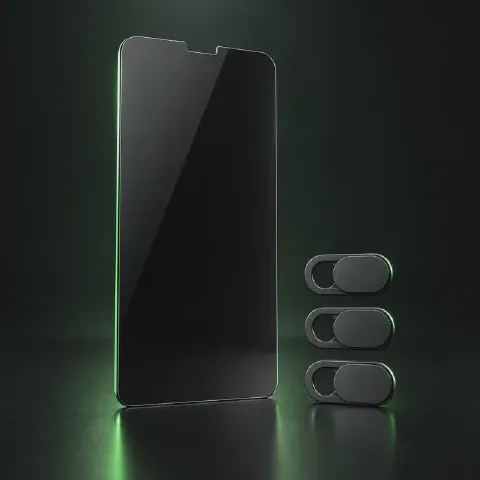
A privacy screen protector plus sliding webcam covers: a cheap fix for people reading over a shoulder.
A privacy screen protector darkens the display when seen from the side, so the person in the next train seat sees a black rectangle. It works as a stocking filler because it solves the most common privacy leak there is. Two things to know before you buy: it has to be made for the exact phone model, so find out which phone the person has, and the screen looks a little dimmer even head-on.
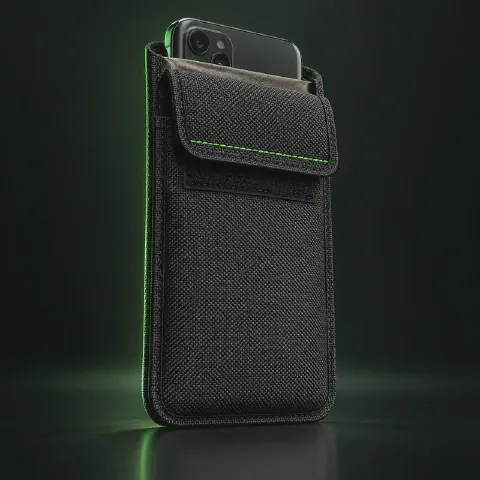
A signal-blocking sleeve that cuts cell, Wi-Fi, Bluetooth and GPS while the phone is inside.
A Faraday sleeve blocks radio signals while the phone is sealed in it. It suits someone who travels, sits in sensitive meetings or wants to stop relay attacks on a keyless car fob. It isn’t an everyday privacy tool, and our explainer on when a Faraday bag is worth it shows how to test one by calling the phone inside it.
A USB-C data cable is the least glamorous gift on this page and the most practical for someone planning to install GrapheneOS or CalyxOS. A charge-only cable is the most common reason a browser install fails at the first step. Look for one described as supporting data transfer.
Find a USB-C data cable on Amazon
affiliate link — same price for you, small commission for us
A security key: the gift that protects the most
A hardware security key is a small USB-C and NFC device you register with your important accounts. When you sign in, the site asks the key to prove it’s there, and the key only answers the real site, so a fake login page gets nothing. That makes it stronger than text-message codes or an authenticator app against phishing, which is how most accounts are taken over.
The YubiKey 5C NFC is the safe default. Yubico lists USB-C and NFC on one key, passkey support and up to 100 passkey slots. It works on stock Android and on degoogled systems that support passkeys.
See the YubiKey 5C NFC on Amazon
affiliate link — same price for you, small commission for us
If the budget allows, give two keys. Registering both means losing one doesn’t lock the person out. Tell them to start with their email account and password manager.
$100–$200: a travel router
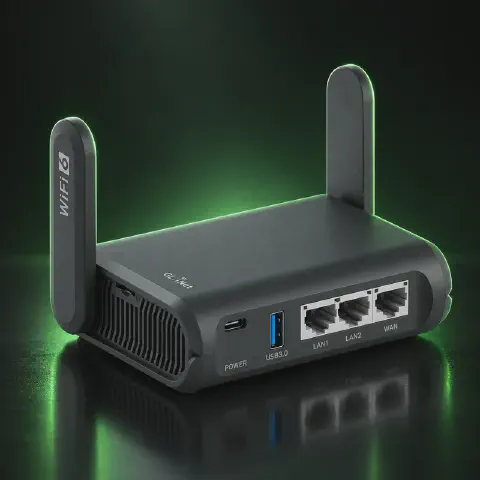
A pocket router that runs a VPN for every device behind it, so hotel and café Wi-Fi never sees the traffic.
A travel router connects to hotel or café Wi-Fi once, and the phone, laptop and tablet connect to the router instead. GL.iNet’s documentation for the Slate AX lists WireGuard and OpenVPN, Wi-Fi 6, WPA3 and AdGuard Home for blocking trackers. It takes USB-C power, so a phone charger runs it. One thing to mention on the gift tag: the VPN part needs a VPN subscription or a WireGuard server, which the router doesn’t include.
Get the next guide in your inbox
One email a week: new degoogling guides, OS and device-support news that matters, and one privacy fix you can do in five minutes. No tracking pixels.
Skip this one for someone who rarely uses public Wi-Fi. A VPN app on their phone does the same job for one device.
$200–$600: a first degoogled phone
A Google Pixel is the phone to give if you want it to run GrapheneOS, the system we score 10/10 for privacy. The install runs from a web browser and takes about 20 minutes.
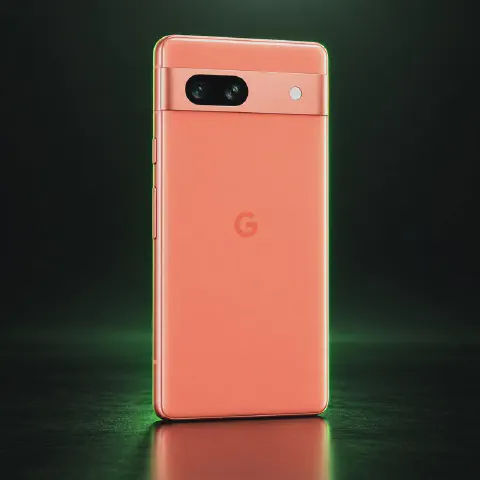
The cheapest Pixel we'd still give: renewed, with updates to May 2028 and a choice of GrapheneOS, CalyxOS, iodéOS or LineageOS.
A renewed Pixel 7a is the budget route. Its updates end in May 2028, so it’s a phone for the next year and a half, not the next five. Renewed units vary in battery wear, and the listing must say the phone is unlocked.
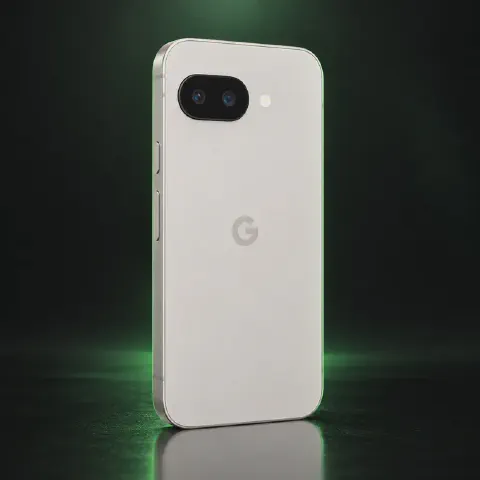
The best value for GrapheneOS: updates to April 2032, a SIM tray plus eSIM and the lowest current-model price band.
The Pixel 9a is the gift we’d pick for most people. It gets updates until April 2032 and keeps a nano-SIM slot next to its eSIM, so the person can move their SIM card over on Christmas morning.
$600 and up: the flagship gift
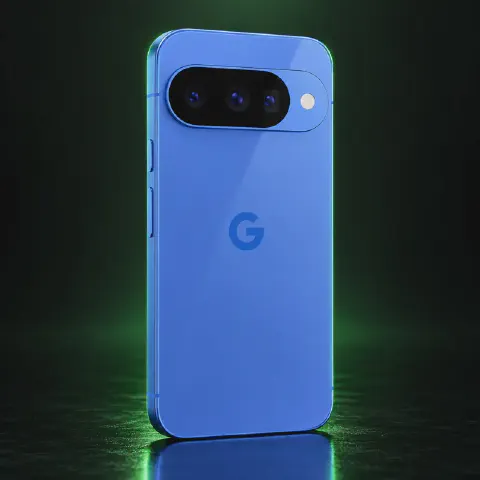
A zoom lens, 12 GB of RAM and updates to August 2032. US units are eSIM-only.
The Pixel 10 and Pixel 10 Pro are for someone who cares about the camera. Both get updates until August 2032 and both run GrapheneOS. The US models have no SIM tray, so check that the person’s carrier can issue an eSIM before you buy.
Who should open which phone is a separate question. Our guide to choosing a degoogled phone for a parent, a teen or a beginner goes through it person by person, including phones that arrive with the private system already installed.
Gifts that cost nothing
An afternoon of your time is a fair present for someone who keeps saying they should “do something about privacy.” Three things you can do for them, all free:
- Run the ten-second compatibility lookup on the phone they already own to see which private systems it supports.
- Install the apps from our private app starter pack: Signal for messages, a password manager, an offline map.
- Do the 30-minute Private DNS and permissions pass on their current Android phone.
What not to give
- A Pixel 11. It isn’t on GrapheneOS’s supported list, so it can’t run the system most people buy a Pixel for.
- A carrier-branded Pixel. Carrier units, Verizon’s in particular, often can’t unlock the bootloader, and then no private system installs. Buy the model sold as unlocked.
- “Anti-tracking” phone cases and stickers that don’t seal the phone. If signals get out, so does the location.
- A VPN router sold with a lifetime VPN from an unknown provider. Pick the router and the VPN separately.
If you’re buying a phone during the sales, our Black Friday checklist for Pixel buyers lists what to check on the listing before you pay.
FAQ
What is a good privacy gift for someone who isn’t technical?
A hardware security key or a privacy screen protector. Neither needs any setup knowledge beyond registering the key with an email account, and both protect against common problems: phishing and people reading the screen.
What is the best privacy gift under $50?
A privacy screen protector made for the person’s exact phone model, or a Faraday sleeve for someone who travels or has a keyless car fob. Both sit in our under-$50 band.
Is a degoogled phone a good Christmas gift?
Yes, if the person wants one and you choose an unlocked model. A Pixel 9a with GrapheneOS is our pick for most people, with updates to April 2032. Someone who won’t install anything is better served by a phone that arrives with the system on it.
Which Pixel should I not buy as a gift?
Skip the Pixel 11, which GrapheneOS doesn’t support, and any carrier-branded Pixel, because the carrier can block the bootloader unlock that every private system needs.
Do I need to set the phone up before giving it?
It helps. Installing GrapheneOS before you wrap the phone lets you confirm that OEM unlocking works while the return window is still open. The other gift guide linked above has the steps.