Can Obtainium Install the Wrong App?
Obtainium can follow GitHub releases, but shared pages and prereleases may point at the wrong APK. Learn when to use another listing.

Why the wrong app can appear
Can Obtainium install the wrong app? A plain GitHub source can be misleading when one release page serves several applications. The newest release may belong to a different app in the same monorepo, so following that page without a suitable filter could select the wrong APK.
This is why dgdroid’s Obtainium list is narrower than the full private app starter selection. The directory contains many useful apps, but only 42 directory apps were included in the guide’s data-driven table. Each of those 42 had a non-prerelease GitHub release containing .apk assets when checked on October 10, 2026.
That distinction matters: a repository existing on GitHub is not enough. The release pattern also needs to make sense for installing the intended app.
Which release patterns need care
There are four useful cases to recognize:
- A repository has a stable, non-prerelease release with APK assets. This is the straightforward Obtainium case and suits readers who want to follow verified GitHub releases directly.
- A shared release page publishes several apps. ente Photos/Auth, Bitwarden Authenticator, Tuta, and Element (classic) were left out of the plain Obtainium list because the newest release is often a different app. These suit readers prepared to configure a release-title filter; everyone else can use their verified F-Droid or Play listings instead.
- A repository publishes only prerelease APKs. Standard Notes fell into this group, so its GitHub link was not used. This suits neither a stable-only Obtainium list nor a reader who wants the guide’s verified non-prerelease path.
- A repository is archived or otherwise unsuitable. Tubular’s repository was archived, while the Filen repository link was dropped even though the app remains listed through Play and its website. An archived repository should not be treated like a maintained release source.
NotallyX also shows why labels matter: it was absent from F-Droid and Play and had only a beta on GitHub. OpenTasks was not on Play and its repository had been untouched since 2022. These were not promoted as equivalent to the verified stable choices.
Filters and settings that matter
Obtainium includes settings named “Filter APKs by regular expression” and “Filter release titles by regular expression.” The first can distinguish among APK assets; the second is relevant when a shared releases page contains releases for multiple apps. The guide explains title filters for the monorepo and shared-page cases rather than presenting a plain add action that could install the wrong thing.
Get the next guide in your inbox
One email a week: new degoogling guides, OS and device-support news that matters, and one privacy fix you can do in five minutes. No tracking pixels.
“Include prereleases” is another important choice. The dgdroid table required a non-prerelease release, so enabling prereleases changes the type of release being considered. Readers seeking the same stable scope as the verified table should keep that distinction in view.
Update behavior is separate from selecting the correct release. Obtainium exposes “Background update checking interval” and “Enable background updates.” It also offers “GitHub personal access token (increases rate limit).” Those settings can affect checking, but they do not turn an ambiguous shared release page into an unambiguous app source. Selection still depends on the repository, release, APK assets, and any necessary filters.
What to do before adding a source
- Check whether the app appears in the guide’s table of 42 directory apps with stable GitHub APKs. That is the simplest option for someone who wants the verified Obtainium route.
- Identify whether the repository uses one clear app release stream or a monorepo/shared release page. If releases cover multiple apps, use the documented title-filter approach or choose the verified F-Droid or Play listing.
- Confirm that the relevant release is not a prerelease and includes
.apkassets. That matches the verification standard behind the table. - Use “Filter APKs by regular expression” when multiple APK assets require a specific hint. Do not assume every asset on a valid release is the intended one.
- Recheck the source over time. GitHub release patterns drift, including flavour names and prerelease handling, which is why dgdroid plans periodic verification.
Obtainium is most straightforward for a stable, single-app GitHub release with a clear APK. Shared pages can still be workable when the correct title filter is known, while F-Droid or Play is the clearer listed option when a plain Obtainium add would be misleading. See the complete guide to installing GitHub apps with Obtainium for the full picture.
The easiest way to a degoogled phone
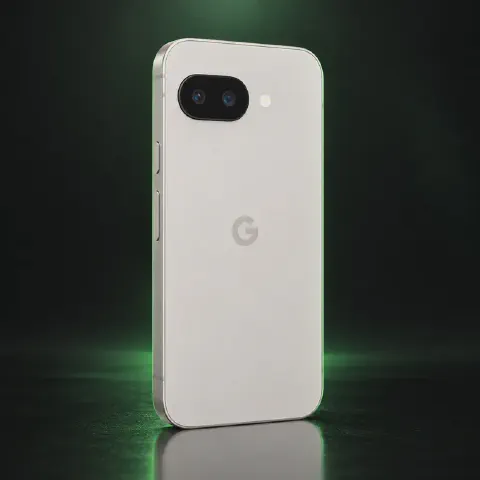
6.3" OLED · updates to April 2032 · GrapheneOS, CalyxOS, iodéOS or LineageOS
Buy buttons may be affiliate links: same price for you, a small commission for us. Side-by-side phone comparison · every private OS explained