Does More Privacy Mean Fewer Android Apps?
Privacy scores and app compatibility do not move in lockstep. Here is how GrapheneOS, microG systems, and mobile Linux compare.
Does more privacy mean fewer Android apps? Not necessarily. The ratings show that privacy and compatibility are separate choices: the highest-scoring operating system also has excellent app compatibility, while some other high-privacy systems support a much narrower range of software.
The useful question is not simply which system has the highest privacy score. It is which combination of privacy, app support, supported hardware, and installation work fits you.
High privacy can include strong compatibility
GrapheneOS receives a privacy score of 10 and an app-compatibility rating of “Excellent — sandboxed Play.” That makes it the clearest option for someone who wants the highest rating in the table without accepting limited Android app support.
The restriction is hardware, not the compatibility rating. GrapheneOS supports Pixels only: the 6 through 10 series, including the 10a and Pixel Fold. Installation is rated easy through a web installer and takes about 20 minutes. It can also arrive preinstalled on a NitroPhone or Above Phone.
PureOS comes close on privacy at 9.5, but its compatibility is limited to desktop Linux apps. It runs on the Librem 5 and arrives preinstalled. That combination suits someone who values maximum control and hardware kill switches for the radio, camera, and microphone more than convenience.
The middle ground uses microG
Several systems combine good compatibility with lower, but still strong, privacy scores.
- CalyxOS scores 8.5 and offers “Good — microG” compatibility. It supports Pixels 6–9 and Fold, Fairphone 4, 5, and Gen 6, six moto g models, and SHIFTphone 8. It particularly suits someone seeking set-and-forget defaults or a budget Motorola path. Installation is moderate through a web installer.
- /e/OS scores 7.5 with “Good — microG + own cloud.” It supports hundreds of devices, including Pixel 9 models, OnePlus 13, and Xperias. It also comes preinstalled on Murena Fairphones. Its easy installer, privacy scores in its app store, and iPhone-simple interface make it the gentlest landing in the ratings.
- iodéOS also scores 7.5 and provides “Good — microG + built-in tracker blocker.” It supports more than 60 devices and can arrive preinstalled on the BraX3. Its official installer app is rated easy.
These are practical choices when you want good Android app compatibility, broader hardware selection than GrapheneOS, or an option that arrives installed.
Get the next guide in your inbox
One email a week: new degoogling guides, OS and device-support news that matters, and one privacy fix you can do in five minutes. No tracking pixels.
Community Android and mobile Linux differ
LineageOS scores 7 and has good compatibility, but includes no Google unless you add it. It supports hundreds of devices, including rated paths for the OnePlus 13, Xperia 1 V, and Poco F5 Pro. Installation is advanced, using fastboot and command-line tools. It suits people comfortable spending an evening on setup and deciding what to install on top.
The mobile Linux choices make a sharper compatibility tradeoff. Ubuntu Touch scores 8 but has limited compatibility, using Waydroid for Android apps. Nura, renamed from postmarketOS in September 2026, also scores 8 and is limited to native Linux apps. Both require more patience than the Android-based choices.
Sailfish OS scores 7.5 and has fair compatibility through an Android app layer. It arrives preinstalled on Jolla hardware, while Sailfish X supports several Sony Xperia 10 models. These Linux alternatives suit readers who specifically want true Linux, native Linux apps, or a European alternative and accept the stated compatibility limits.
How to choose your compatibility level
- List the Android apps you consider essential, then decide whether excellent, good, fair, or limited compatibility is acceptable.
- Check your phone against the supported hardware. A high rating does not help if the operating system has no build for your device.
- Match the installation class to your comfort: none for a preinstalled phone, easy for a guided installer, moderate for more involvement, or advanced for fastboot, command-line tools, or Linux tooling.
- If you own a locked phone, use hardened stock Android. Its privacy score is 4, but everything works and setup requires settings changes only.
- Compare the remaining options by privacy score. GrapheneOS shows that more privacy does not automatically mean fewer Android apps, but every path has its own hardware and installation limits.
See the complete privacy and compatibility scorecard for the full picture.
Phones in this story
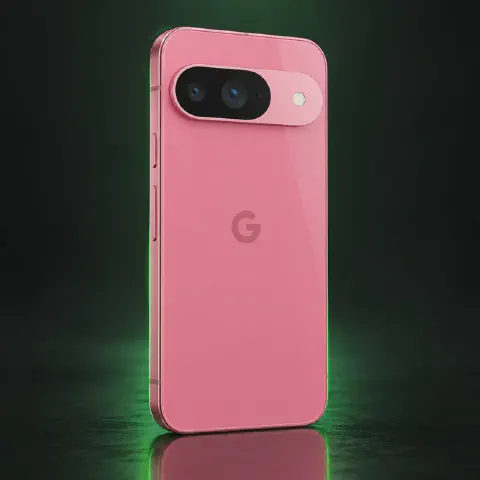
6.3" OLED · updates to 2031 · full OS menu
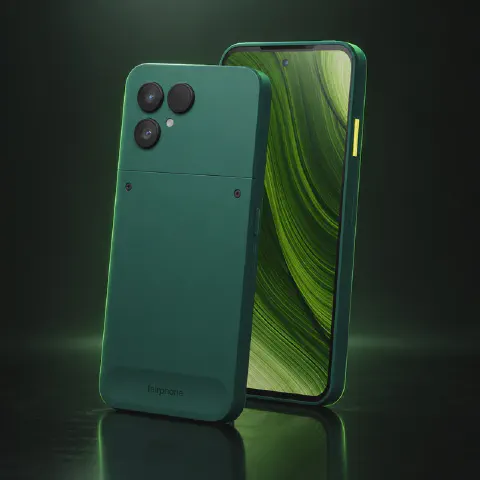
/e/OS preinstalled · repairable · no flashing needed
Buy buttons may be affiliate links: same price for you, a small commission for us. Side-by-side phone comparison · every private OS explained