Google Links Numbers Across Android Accounts
Google’s phone verification can attach a device number to every signed-in account; users can disable it and remove prior links.

What the setting does
Google links phone numbers across Android accounts when automatic phone verification is enabled. The setting is on by default and can add every number associated with a device to all Google accounts signed in on that device, including accounts added later.
An Android Authority examination of the privacy implications published November 3 says the behavior has been enabled by default since a September 2025 Google Play services update. The article says adding a number to one account can result in that number being added to other accounts on the same phone.
This is not limited to the account selected when the number is added. An earlier Android Central report on the account linking says secondary, work and alternate accounts can be affected when they are signed in on the same Android device.
Why Google verifies the number
The reports describe several functions supported by Phone number verification. They include account recovery, RCS messaging, emergency features and Quick Share. Google and the carrier can also periodically verify that the number still belongs to the device owner.
Those uses can be helpful, but they also mean accounts that an owner intended to keep separate may share a common identifier. Someone using distinct Google accounts for work, personal communication or separate online identities should therefore check the setting rather than assume a number remains attached only to the account where it was entered.
Turning the feature off affects future automatic verification. It does not necessarily remove a number that Google already added to an account. Android Authority says previously linked numbers must be removed separately from each affected account’s personal information.
What it means on a degoogled phone
The behavior concerns Google services and Google accounts, so it matters most to degoogled-phone owners who install optional Google components or sign multiple Google accounts into one device. Removing most preinstalled Google software does not help if the Google account environment a user later installs has automatic verification enabled.
Get the next guide in your inbox
One email a week: new degoogling guides, OS and device-support news that matters, and one privacy fix you can do in five minutes. No tracking pixels.
The reports do not say that Android itself exposes a phone number to every unrelated app. They describe Google associating a verified device number with signed-in Google accounts. App permissions and this account-level setting are separate controls.
Owners should also distinguish disabling verification from deleting an existing association. Verify phone numbers automatically is the preventive control on the phone. Removing an already attached number is an account-maintenance task that must be performed for each account where the number should not appear.
This check is especially relevant before signing a work, pseudonymous or shared account into a phone that already contains a personal SIM. The default applies to current and future accounts and numbers, according to the behavior described by both reports.
What to do
- Open Android Settings and select Google, followed by All services.
- Under Privacy & security, open Phone number verification.
- Turn off Verify phone numbers automatically if you do not want the device’s numbers added to signed-in accounts.
- Open each Google account’s settings and go to Personal info, Contact info and Phone.
- Remove the number from any account where it was added but is not wanted.
- Repeat the review for every secondary, work or alternate account used on the phone.
Disabling the switch may reduce the convenience of features that depend on number verification. The practical choice is therefore account-specific: people who value account recovery and communications integration may keep it enabled, while people who deliberately separate identities have a concrete reason to turn it off and audit existing links.
The easiest way to a degoogled phone
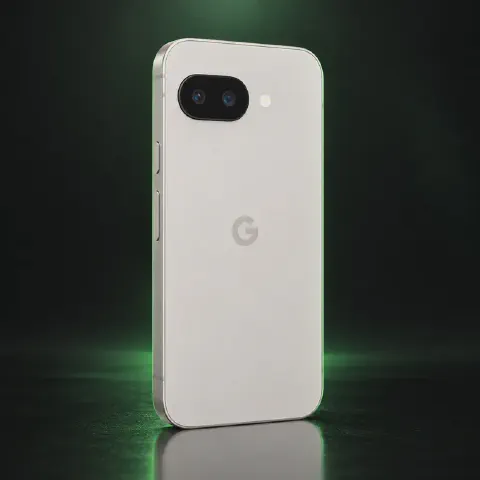
6.3" OLED · updates to April 2032 · GrapheneOS, CalyxOS, iodéOS or LineageOS
Buy buttons may be affiliate links: same price for you, a small commission for us. Side-by-side phone comparison · every private OS explained