Google Play Adds App-Level Age Controls
Google Play Store v54.2 adds app-level controls for age-range sharing, while Google cautions that listed features may roll out slowly.

Google Play adds app-level age controls in Play Store v54.2, giving phone users a place to manage age-range sharing preferences for individual apps. Google included the change in its November 23 system-services notes alongside Google Play services v26.46 and maintenance changes for Private Compute Services B.32 / C.10.
The release note is brief. It does not describe the available age ranges, identify participating apps, state the default preference, or say that every eligible phone receives the controls immediately. That limited scope matters when deciding what the update does—and does not—establish.
What Google announced
The Google system-services release notes say Play Store v54.2 lets phone users manage “age range sharing preferences” directly in Play Settings through new app-level controls. Google lists the entry under the Play Store rather than the Android operating system or Google Play services.
The same November 23 update lists two unrelated Play Store changes: streamlined store navigation and new app and game homepages for Android Auto, plus Play Achievements for tracking gaming milestones and skills on phones. Google Play services v26.46 separately adds a Quick Share preview for YouTube links and lets users autofill saved card security codes after authenticating with the phone’s screen lock.
Those entries should not be combined into one privacy feature. The age controls belong specifically to Google Play Store v54.2; the card-code and Quick Share changes belong to Google Play services v26.46.
The rollout has important limits
The November update summary from 9to5Google repeats the app-level age-sharing change and warns that appearance in the changelog does not mean a feature is widely available. According to the outlet, some listed capabilities can take months to roll out fully.
Google’s longer release history also shows that age-sharing controls have appeared in regional entries before this update. Play Store v52.2 added controls for users in Brazil in July. Later notes associated additional controls with users in Australia and Canada. The November 23 entry does not name a country, but it also does not explicitly call the change a worldwide release. It is therefore safer to report the new app-level interface without claiming universal availability.
Get the next guide in your inbox
One email a week: new degoogling guides, OS and device-support news that matters, and one privacy fix you can do in five minutes. No tracking pixels.
The notes also do not say which apps can request an age range, what information each range conveys, or whether changing a preference withdraws information already received by an app. Those questions remain unanswered by the two published sources.
What this means on a degoogled phone
This is a Google Play Store feature, not a change identified as part of the Android Open Source Project. That distinction is relevant to owners of GrapheneOS, CalyxOS, LineageOS, /e/OS, iodéOS, and other alternative systems because their Google-component setups differ.
A phone without the Google Play Store has no Play Settings page in which this particular control could appear. The sources do not describe an equivalent AOSP setting or an interface for alternative app stores. Owners who choose to install the Play Store can check for the control, but the release notes do not guarantee that it will be visible immediately.
This update also does not establish that a degoogled operating system itself is collecting or sharing an age range. It documents a control inside Google Play. Readers evaluating app behavior should keep the store component, the operating system, and individual apps separate rather than treating “Android” as one service.
What to do
- Check whether Google Play Store is installed on the phone. If it is absent by choice, this specific Play setting does not provide a reason to install it.
- If Play Store is installed, update it normally and inspect Play Settings for age-range sharing preferences and app-level controls.
- Review each available app entry rather than assuming one preference applies to every app.
- If the controls are missing, do not assume the update failed. The published rollout warning says listed features may not be broadly available immediately.
- Avoid inferring more than the interface states. Google’s notes do not document the shared ranges, defaults, participating apps, or retroactive effect of changing a preference.
For degoogled-phone owners, the practical news is narrow but useful: Google Play is moving age-sharing management toward per-app choices, while phones that omit Play Store remain outside the documented control path.
The phone in this story
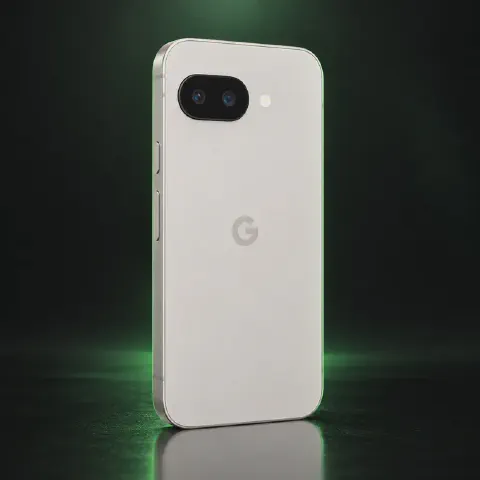
6.3" OLED · updates to April 2032 · GrapheneOS, CalyxOS, iodéOS or LineageOS
Buy buttons may be affiliate links: same price for you, a small commission for us. Side-by-side phone comparison · every private OS explained