How Hard Is a Degoogled OS Install?
Installation ranges from no work on preinstalled phones to advanced fastboot sessions; this guide matches each difficulty to the right user.

How hard is a degoogled OS install? It can mean anything from opening a phone that already has its private operating system to spending an evening with fastboot and command-line tools. The useful distinction is not simply preinstalled versus DIY: our ratings divide installation into none, easy, moderate, and advanced.
Those classes help you avoid choosing an OS that fits your privacy target but not your patience, phone, or preferred setup process.
None: choose a phone that arrives ready
An install class of none means the operating system arrives installed. This is the clearest option if you do not want flashing to become part of the purchase.
Several combinations follow this route:
- NitroPhone and Above Phone pair a Pixel with GrapheneOS and carry a privacy score of 10.
- Murena Fairphone models arrive with /e/OS and score 8 as complete phone-and-OS combinations.
- Librem 5 ships with PureOS, scores 9.5, and emphasizes hardware kill switches for the radio, camera, and microphone.
- Jolla C2 arrives with Sailfish OS and scores 7.5.
- Volla Phone X23 and Quintus offer Volla OS or Ubuntu Touch and score 8.
- BraX3 arrives with iodéOS and scores 7.5.
This class suits readers who want a defined combination without performing an installation. It does not make every option equivalent: Android app compatibility is good with /e/OS and iodéOS, fair through Sailfish OS’s Android app layer, and limited with PureOS desktop Linux apps or Ubuntu Touch using Waydroid.
Easy: use an installer or adjust stock Android
Easy installs are the practical DIY tier. GrapheneOS provides a web installer described in our research as “Easy — web installer, ~20 min.” It officially supports Pixels only, from the 6 through 10 series, including the 10a and Pixel Fold. A Pixel 6–10 DIY combination receives a privacy score of 10.
/e/OS also has an easy installer and supports hundreds of devices, including Pixel 9 models, OnePlus 13, and Xperia phones. iodéOS uses an official installer app and supports more than 60 devices, including Pixels from the 3 through 9a, Fairphones including Gen. 6, Xperias, OnePlus models, and SHIFTphone 8.
There is also an easy fallback when installation is impossible. Stock Android can be hardened through settings on any Android phone. Its privacy score is 4, but compatibility is described as “Everything works.” This option suits a locked phone whose operating system cannot be replaced, or anyone who needs a settings-only starting point.
Get the next guide in your inbox
One email a week: new degoogling guides, OS and device-support news that matters, and one privacy fix you can do in five minutes. No tracking pixels.
Moderate and advanced: accept more setup work
Moderate installation asks for more involvement without reaching the command-line-heavy tier. CalyxOS uses a web installer and supports Pixels 6–9 plus Fold, Fairphone 4, 5, and Gen. 6, six moto g models, and SHIFTphone 8. It scores 8.5 for privacy and offers good compatibility through microG.
Rated combinations include Fairphone 5 with CalyxOS and the moto g 5G (2024), g45, or g34 with CalyxOS. These suit someone prepared to flash a supported phone in exchange for more hardware choice. Ubuntu Touch is also moderate through the UBports installer, although its Android app compatibility is limited and relies on Waydroid.
Advanced means the install itself is part of the project. LineageOS uses fastboot and command-line tools, supports hundreds of devices, and scores 7. Its privacy depends on what is installed on top. Rated examples include OnePlus 13, Xperia 1 V, or Poco F5 Pro, with the process described as an evening. Older international Samsung S and A models can use /e/OS or LineageOS, but the exact model introduces “model-number roulette.”
Nura uses advanced Linux tooling on devices including PinePhone, Librem 5, and OnePlus 6. A PinePhone Pro with a chosen mobile Linux system is a tinkerer path where the expected setup is a weekend. These advanced options suit readers who actively want control and are comfortable treating setup as a technical task.
How to choose your install class
- Check the exact phone, not only the brand. Support lists name particular generations and models.
- Decide whether you want installation work at all. If not, select a combination whose class is none.
- For DIY, match the phone to an official hardware list before choosing the OS. GrapheneOS, for example, is Pixels only.
- Match effort to your comfort: easy for a browser or installer app, moderate for a more involved flashing process, and advanced for fastboot, command-line, or Linux tooling.
- If the phone is locked, use the settings-only hardened stock path instead of assuming its OS can be replaced.
Installation difficulty is only one part of the decision. Compare privacy scores, compatibility, supported hardware, and complete phone-and-OS combinations in the full privacy ratings and device paths.
Phones in this story
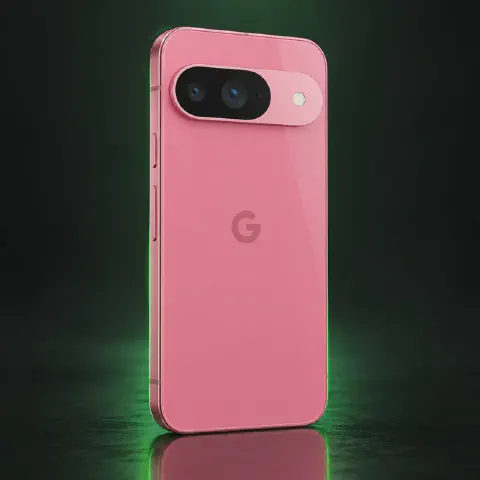
6.3" OLED · updates to 2031 · full OS menu
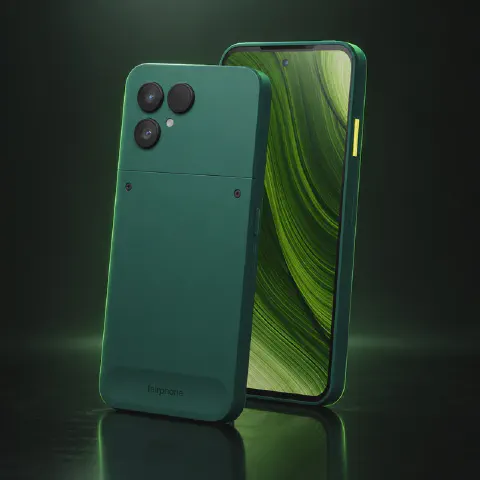
/e/OS preinstalled · repairable · no flashing needed
Buy buttons may be affiliate links: same price for you, a small commission for us. Side-by-side phone comparison · every private OS explained