Play Services 26.44 Adds Age-Range API
Google Play services 26.44 adds an age-range API, cross-device changes, two Wallet features, and general stability work for phones.

What changed on November 9
Google’s November system-services notes list Google Play services v26.44 and Google Play Store v54.0 with the date November 9, 2026. Play services 26.44 adds an age-range API for developers on Android Auto, phones, TVs, and Wear OS. Google describes the result narrowly: an app can query the age range of the device user. The notes do not say what ranges the API returns, which apps will use it, or whether it requires a particular Android version.
For phones, the same release says it is easier to participate in cross-device experiences. Google does not provide a more detailed explanation. The release also carries general stability work across Android Auto, PCs, phones, TVs, and Wear OS, plus device-performance work specifically for Android Auto. A Utilities entry promises new developer features but does not name them.
The two user-facing Wallet entries apply to phones. Google says Traveler QR can be used in Google Wallet. It also says Matter Aliro-compatible single-family residential keys can be added to Google Wallet with Google Home. The notes do not identify supported locks, regions, or rollout timing.
The Play Store changes are separate
Google Play Store v54.0 has its own November 9 entry. It adds contextual AI suggestion chips to single-event LiveOp Event Details Pages. It also sends real-time Play Games Services sign-in and sign-out state to the Play Store. A third change lets select users receive Play Points promotions for new subscriptions.
These are Play Store changes, not a general Android security patch. The 9to5Google release summary separates Play services v26.44 from Play Store v54.0 and reproduces the platform labels attached to each item. That distinction matters on a degoogled phone because the relevant component has to be installed before its version or feature list can apply.
The same report warns that appearing in the changelog does not mean a feature is widely available. Some capabilities can take months to roll out. In other words, matching the listed version does not by itself prove that Traveler QR, residential keys, or an AI suggestion chip will appear on a particular phone.
Get the next guide in your inbox
One email a week: new degoogling guides, OS and device-support news that matters, and one privacy fix you can do in five minutes. No tracking pixels.
Why degoogled-phone owners should care
The practical question is not simply which Android version the phone runs. It is whether the setup includes Google Play services, the Google Play Store, both, or neither. Google’s page defines these as parts of its broader system-services update set, alongside components such as Android System Intelligence, WebView, and Private Compute Services.
A phone without Play services will not receive the v26.44 behavior through that absent component. A phone without the Play Store likewise has no v54.0 Store interface to show the listed LiveOp chips or Play Points promotion. For owners who deliberately install those components for app compatibility, however, the version numbers provide a concrete checkpoint.
The November 2 entries offer useful background. Play services v26.43 added Android Family Hub, password-import conflict choices, Quick Share photo and video backup to Windows, and broad system-management improvements. Play Store v53.9 added a reminder when Play Protect remains off. Those earlier items are not part of v26.44 or v54.0, even though both sets appear on the same monthly page.
What to do
- Check whether Google Play services or the Google Play Store is actually installed on the phone. If neither is present, do not install them solely because this changelog exists.
- If Play services is installed, open its app-information page and compare the version with v26.44. For the Store, compare against v54.0.
- On a Pixel using Google’s components, follow the reported path: Settings, your name, All services, Privacy & security, then System services.
- Treat each listed feature as a release-note entry, not proof of availability on your account or device. The sources do not provide a device list, regional list, or complete rollout schedule.
- If a needed function is missing, wait for the component’s normal update path rather than assuming the operating system itself is behind.
The easiest way to a degoogled phone
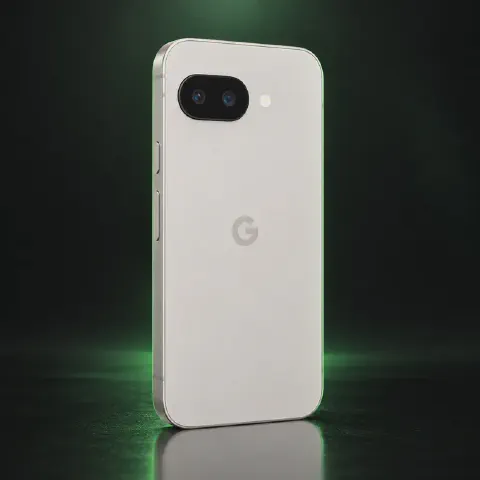
6.3" OLED · updates to April 2032 · GrapheneOS, CalyxOS, iodéOS or LineageOS
Buy buttons may be affiliate links: same price for you, a small commission for us. Side-by-side phone comparison · every private OS explained