Removed, Replaced, or Sandboxed Google?
GrapheneOS can sandbox Google Play, three systems replace it with microG, and LineageOS removes it but leaves the next choice to you.

Three ways to handle Google
A degoogled system does not always handle Google in the same way. The five Android options in our comparison take three main approaches: sandboxed Google Play, a replacement called microG, or no Google services included at all.
That difference matters because it affects banking apps, notifications, privacy, and how much setup falls to you. The right choice is not simply the system that removes the most. It is the one whose approach matches the apps you need and the phone you can use.
GrapheneOS offers the most flexible answer: Google can be completely absent, or real Play can run in a sandbox with no privileges. CalyxOS, /e/OS, and iodéOS replace Google services with microG. LineageOS ships without Google, but does not stop you or an app store from adding it later.
Sandboxed Play on GrapheneOS
GrapheneOS describes its approach as “Gone — or caged.” You can use the phone with zero Google, then install real Play in a sandbox if an app needs it. The sandbox gives Play no special privileges.
This is the strongest privacy option in the comparison, rated 10 / 10, while still providing the best banking compatibility of the five systems. Sandboxed Play passes most bank checks, so almost all banking apps work. Notifications can arrive through sandboxed Play, while apps with their own push, such as Signal, can use that instead.
GrapheneOS suits most people if a Pixel is an option. Its official support is limited to Pixel 6 through 10 series, including the 10a and Fold. Installation uses a browser-based web installer, takes about 20 minutes, and is described as hard to brick. It can also be bought preinstalled on a Pixel from NitroPhone or Above Phone.
Choose this route when you want maximum privacy but may still need real Play for compatibility.
Replaced by microG
CalyxOS, /e/OS, and iodéOS replace Google services with microG, an open-source stand-in. Their shared goal is to keep apps working while feeding Google as little as possible, but each system adds a different emphasis.
CalyxOS is the “privacy on autopilot” option. It has excellent defaults, includes a firewall, and is rated 8.5 / 10 for privacy. microG carries Google push with anonymous registration. Most banking apps work, although the strictest banks may refuse. It suits set-and-forget users and supports 30 models, including Pixels, Fairphones, budget Motorolas, and SHIFTphone 8.
Get the next guide in your inbox
One email a week: new degoogling guides, OS and device-support news that matters, and one privacy fix you can do in five minutes. No tracking pixels.
/e/OS pairs microG with Murena’s own cloud instead of Google’s. It is rated 7.5 / 10 and is tuned for comfort over maximum privacy. Its familiar feel and gentle landing make it the suggested choice for switchers from iPhone. Murena also sells Fairphones and its own phones with /e/OS already installed.
iodéOS also uses microG, then adds an OS-level blocker that stops trackers in apps. It is rated 7.5 / 10 and particularly suits ad-haters. Most banking apps work, notifications arrive through microG, and iodé sells new and refurbished phones with the system preinstalled.
Removed with LineageOS
LineageOS takes the simplest starting position: “No Google shipped.” Unlike the other choices, however, nothing stops you or a store from adding Google services back.
That makes LineageOS more dependent on your decisions after installation. Apps with their own push work, but apps that rely on Google push remain silent unless you add services. Banking support is hit or miss because an unlocked bootloader trips some bank checks.
Its advantage is hardware reach. LineageOS supports hundreds of phones and acts as the rescue option for devices other systems have dropped. It suits tinkerers and people giving an old phone a second life. Installation is also the most advanced here: command-line fastboot, with a process that varies by phone.
How to choose
- Check which systems officially support your current phone or the phone you plan to buy.
- Pick GrapheneOS if a supported Pixel works for you and you want optional sandboxed Play with the strongest banking compatibility.
- Pick CalyxOS for strong defaults, /e/OS for the gentlest transition and its own cloud, or iodéOS for its built-in tracker blocker.
- Pick LineageOS when broad hardware support matters most and you accept more setup plus less predictable banking and Google-push behavior.
- Test the apps you depend on before treating any general compatibility rating as a guarantee.
See the full degoogled system feature comparison for the complete picture.
Phones in this story
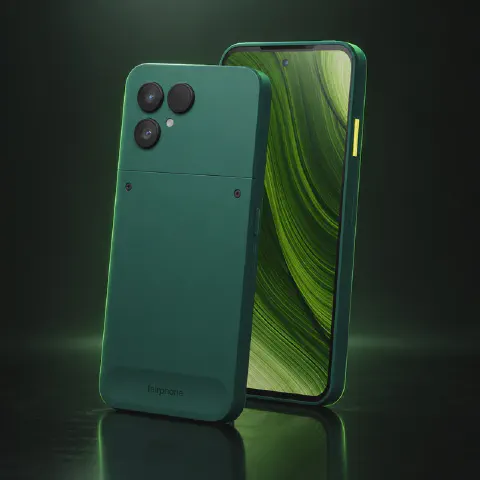
/e/OS preinstalled · repairable · no flashing needed
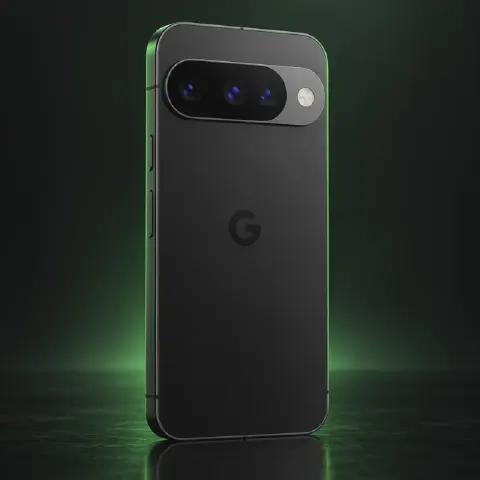
Pixel 9a or Pixel 10 series with GrapheneOS, installed and checked by Nitrokey · ships from EU
Buy buttons may be affiliate links: same price for you, a small commission for us. Side-by-side phone comparison · every private OS explained