Samsung Beta Adds Private App Lock
Samsung’s One UI 9.5 beta lets Galaxy S26 owners lock individual apps and hide their notifications and widgets from other users.
Samsung’s One UI 9.5 beta adds App Lock, a privacy feature that protects individual apps with biometric authentication or the phone’s screen lock. It also hides notification content and widgets belonging to locked apps.
The change is part of a Samsung beta for the Galaxy S26 series, not a feature announced for Android generally. That distinction matters to anyone comparing a manufacturer’s privacy tools with the protections available from a degoogled operating system.
What Samsung added
In its One UI 9.5 beta announcement, Samsung says App Lock lets an owner keep an individual app private without locking the entire phone. A protected app requires biometric authentication or the existing screen-lock method before it will open.
The protection extends beyond the app’s launch screen. Samsung says notification content and widgets associated with a locked app remain hidden. This reduces two common ways private information can be exposed after someone has been handed an already-unlocked phone: a message appearing in the notification panel or a widget displaying account information on the home screen.
App Lock is therefore different from merely removing an app icon or suppressing its lock-screen notifications. It places another authentication check in front of the selected app and conceals two surfaces that could otherwise reveal its contents.
Which phones and users are included
Samsung’s announcement limits the beta program to Galaxy S26 series users in selected markets. The named markets are Germany, India, Korea, Poland, the UK, and the US. Eligible owners apply through the Samsung Members app.
The company describes this as a beta ahead of One UI 9.5’s official debut. It does not provide a stable-release date in the announcement, and it does not say that every Galaxy model will receive App Lock. Owners of older Samsung phones should therefore avoid treating Galaxy S26 beta availability as confirmation for their own device.
The independent One UI 9.5 changelog report likewise identifies App Lock as part of the Galaxy S26 beta. It says a locked app can use biometrics, a PIN, a pattern, or a password and confirms that its widget and notification content are hidden.
For people considering a degoogled phone, this is relevant but narrowly scoped. The cited material describes Samsung’s One UI implementation. Neither source says App Lock is an Android-wide feature or that it is included in GrapheneOS, CalyxOS, LineageOS, /e/OS, or another alternative system.
Get the next guide in your inbox
One email a week: new degoogling guides, OS and device-support news that matters, and one privacy fix you can do in five minutes. No tracking pixels.
Privacy Display has a narrower role
Android Authority’s changelog also identifies a related Privacy Display option for secure app features, including locked apps, private Gallery albums, locked Samsung Notes, and Secret mode in Samsung Browser. It says this part is limited to the Ultra model.
Privacy Display can activate automatically around those protected features. That addresses a different risk from App Lock: App Lock controls whether another person can open an app, while Privacy Display makes on-screen information harder for someone beside the owner to view.
The model restriction is important. The official Samsung announcement presents App Lock for the Galaxy S26 series, while the fuller changelog says the automatic Privacy Display behavior is an Ultra-only feature. A standard Galaxy S26 owner should not assume that the display protection accompanies App Lock.
App Lock also does not turn the Galaxy S26 into a degoogled phone. The sources describe a local privacy control inside One UI, not the removal of Google services, Samsung services, or network connections. Its practical value is protection against casual access to selected apps after the main device has been unlocked.
What Galaxy S26 owners should do
- Confirm that the phone is in one of Samsung’s named beta markets and that it is part of the Galaxy S26 series.
- Decide whether beta software is appropriate for a primary phone. Samsung calls this a beta and does not give a stable-release date in the cited announcement.
- If enrolling, use Samsung Members, which is the application Samsung names for joining the program.
- After installation, test App Lock with a noncritical app first. Verify that the app requests authentication and that its notification content and widget are hidden.
- On a Galaxy S26 Ultra, separately check the Privacy Display behavior for locked apps. Do not expect that Ultra-only option on the other S26 models.
For prospective buyers, the careful conclusion is simple: Samsung has documented App Lock for its Galaxy S26 One UI 9.5 beta. Broader device availability and the timing of a stable version remain unspecified in these sources.
The phone in this story
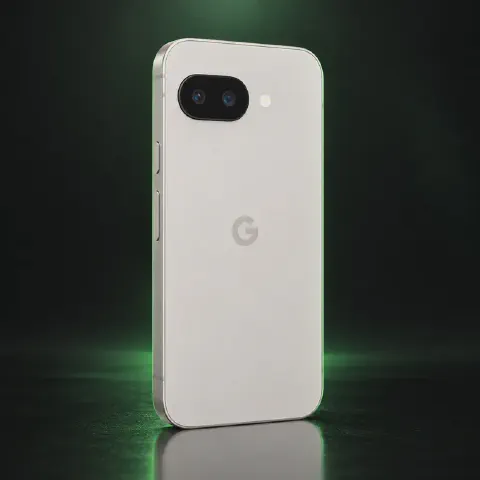
6.3" OLED · updates to April 2032 · GrapheneOS, CalyxOS, iodéOS or LineageOS
Buy buttons may be affiliate links: same price for you, a small commission for us. Side-by-side phone comparison · every private OS explained