Why Aren’t All GitHub Apps in Obtainium?
A GitHub repository is not enough: stable APKs, release-page structure, and filters determine whether an app is suitable to add.

Why a repository is not enough
Why aren’t all GitHub apps in Obtainium? Because the presence of an app’s code does not prove that its release page offers a suitable Android package. For the dgdroid directory, a repository qualified only when it was not archived and its releases included a non-prerelease release with .apk assets.
That check produced 42 directory apps that publish stable APKs on GitHub. It deliberately excluded apps whose repositories or releases could mislead someone adding a source to Obtainium.
This distinction matters because several different situations can sit behind a GitHub link:
- A maintained repository may publish a stable APK that Obtainium can follow directly.
- A release page may contain several APK flavours, making an APK filter useful.
- A monorepo may publish several apps from one shared release page.
- A repository may offer only prerelease APKs.
- A repository may be archived or have no verified APK release.
The useful question is therefore not simply whether an app has a GitHub repository. It is whether that repository’s release pattern identifies the intended app and a suitable APK clearly enough.
Three practical options
A plain Obtainium add best suits an app with its own unambiguous release page and a stable APK. These are the straightforward entries in the guide’s data-driven table. The underlying verification required a live repository plus at least one non-prerelease release containing an APK asset.
A filtered add suits release pages that contain several APK assets or need a narrower match. The relevant Obtainium setting is “Filter APKs by regular expression.” The dgdroid app registry records an APK filter hint where one is needed. This option is for readers who can identify the intended flavour instead of accepting whichever asset happens to match broadly.
A title-filtered setup may suit a shared or monorepo release page. Obtainium provides “Filter release titles by regular expression,” which can narrow releases before the APK is selected. The release title must reliably distinguish the intended app, however. Shared pages were not placed in the simple Obtainium list when their newest release was often for a different app.
The safer alternative for those cases is the app’s verified F-Droid or Google Play listing. Ente Photos/Auth, Bitwarden Authenticator, Tuta, and Element classic were handled this way. They remain available through verified listings, but a plain Obtainium add could select the wrong product from their shared release pages.
Get the next guide in your inbox
One email a week: new degoogling guides, OS and device-support news that matters, and one privacy fix you can do in five minutes. No tracking pixels.
Why some apps stay out
Exclusion does not always mean the app itself is rejected. It can mean only that the GitHub route did not meet the verification standard.
Standard Notes, for example, had only prerelease APKs on GitHub, so it was not included in the stable Obtainium table. Filen’s app remained listed through Google Play and its site, but its archived repository was not linked. Tubular’s repository was archived. NotallyX had neither a verified F-Droid nor Google Play listing and offered only a beta on GitHub. OpenTasks was not on Google Play and its repository had been untouched since 2022, so it was treated as unmaintained.
These cases suit different readers. Someone seeking only verified stable APK releases should stay with the 42-app Obtainium table. Someone comfortable evaluating a shared release page can consider title and APK filters. Someone who does not want to inspect release structure should use the verified store route when one is provided. An app with only an archived, beta-only, or otherwise unverified route should not be forced into the same workflow.
Release patterns can also drift. Flavour names and prerelease behavior may change, which is why dgdroid’s verification is scheduled to run quarterly rather than treating one successful check as permanent.
How to choose a route
- Check whether the app appears in the verified Obtainium table. If it does, begin with that recorded source and any supplied APK filter hint.
- If the release page serves several APKs, use “Filter APKs by regular expression” to identify the intended asset.
- If several apps share releases, determine whether “Filter release titles by regular expression” can reliably isolate the intended app. Do not treat a plain add as interchangeable with a filtered one.
- Keep prerelease status in view. The verified table required a non-prerelease APK release; “Include prereleases” is a separate Obtainium setting.
- When dgdroid supplies F-Droid or Google Play instead of an Obtainium entry, use that verified route rather than guessing from a shared, archived, or beta-only repository.
For the verified app table, filter guidance, setting names, and the broader installation workflow, read the complete dgdroid guide to installing GitHub apps with Obtainium.
The easiest way to a degoogled phone
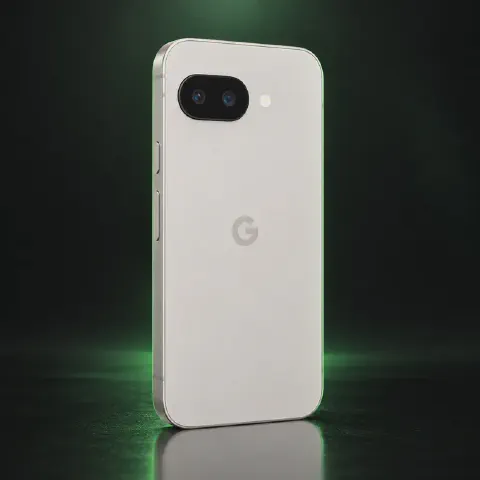
6.3" OLED · updates to April 2032 · GrapheneOS, CalyxOS, iodéOS or LineageOS
Buy buttons may be affiliate links: same price for you, a small commission for us. Side-by-side phone comparison · every private OS explained