Will Notifications Work Without Google?
Notifications still work on every major degoogled OS, but the delivery method and amount of setup depend on which system you choose.
Notifications can work without Google being built into the operating system. The important question is how each degoogled OS delivers them. GrapheneOS can use sandboxed Play or an app’s own push system. CalyxOS, /e/OS, and iodéOS use microG as a replacement. LineageOS works best with apps that provide their own push, unless you add services afterward.
That difference matters because an app can install and open normally yet still depend on Google push for timely alerts. Choosing an OS therefore means choosing how much compatibility, replacement infrastructure, or manual control you want.
GrapheneOS: Google is optional and caged
GrapheneOS ships with zero Google. If an app needs Google services for notifications, real Play can run locked in a sandbox with no privileges. Through sandboxed Play, notifications arrive normally for compatible apps. Apps with their own push, such as Signal, can also deliver alerts without it.
This arrangement suits most people if a Pixel is an option. It combines the strongest privacy rating in this comparison with the best banking-app compatibility and an easy browser installation that takes about twenty minutes. It is also a clear fit for someone who wants Google-dependent notifications available without giving Play privileged access to the operating system.
Official support is limited to Pixels: the Pixel 6 through 10 series, including Fold models. That narrow hardware list is the main constraint.
CalyxOS, /e/OS, and iodéOS: microG carries push
These three systems replace Google services with microG. For notifications, microG carries Google push rather than running real Play.
CalyxOS registers push anonymously. Its strong defaults, included firewall, moderate browser-based installation, and support for Pixels, Fairphones, budget Motorolas, and SHIFTphone 8 make it suitable for set-and-forget users. The bootloader is relocked after installation.
/e/OS uses the same basic microG approach for push. It is aimed at switchers from iPhone, with a familiar feel and Murena’s own cloud in place of Google’s. It also offers an easy point-and-click installer for common phones. People who do not want to install anything can buy supported Murena phones with /e/OS already on them.
iodéOS also lets microG handle push, while adding an operating-system-level tracker blocker. It suits people whose priority is blocking trackers in their apps. Its official installer app runs on Windows and Linux, and iodé sells new and refurbished phones with the system preinstalled.
Get the next guide in your inbox
One email a week: new degoogling guides, OS and device-support news that matters, and one privacy fix you can do in five minutes. No tracking pixels.
All three are rated “Yes” for notifications in the comparison. Their shared tradeoff is that they use a stand-in for Google rather than GrapheneOS’s optional, sandboxed version of real Play.
LineageOS: check how each app sends alerts
LineageOS ships without Google, but its notification result depends more heavily on the app. Apps with their own push work. Apps that rely on Google push stay silent unless you add services.
That makes LineageOS a better fit for tinkerers and hardware rescuers than for someone seeking the most automatic notification setup. Its advantage is device reach: it supports hundreds of phones and gives a second life to hardware other projects have dropped. The tradeoff is a more advanced, phone-specific command-line installation and more responsibility for what gets added afterward.
LineageOS does not prevent you or an app store from adding Google back. Before choosing it, identify which important apps provide their own push and which expect Google push. Installation alone does not answer that app-level question.
How to choose for reliable notifications
- List the apps whose alerts must arrive promptly. Separate apps with their own push from those that depend on Google push.
- If you have a supported Pixel and want broad compatibility with Google kept optional, choose GrapheneOS and install sandboxed Play only if your apps require it.
- If you prefer a replacement that handles push automatically, compare CalyxOS, /e/OS, and iodéOS by hardware, installation, and intended user: set-and-forget use, a gentle switch, or built-in tracker blocking.
- Choose LineageOS when keeping older hardware matters most and you are comfortable checking notification behavior app by app or adding services.
- Confirm that the OS supports your exact phone before planning the switch. Hardware support can decide the available notification approach for you.
For device support, privacy ratings, installation difficulty, payments, banking compatibility, and the rest of the tradeoffs, see the full degoogled operating-system comparison.
Phones in this story
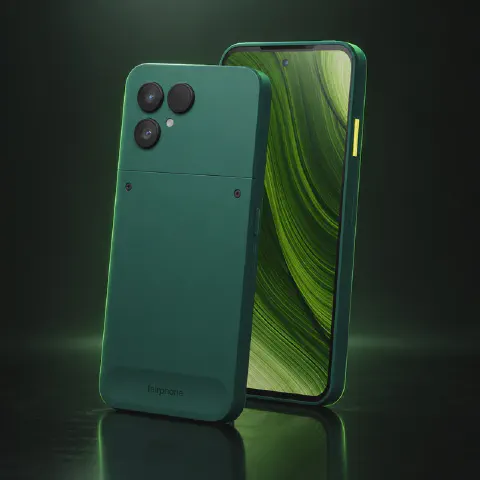
/e/OS preinstalled · repairable · no flashing needed
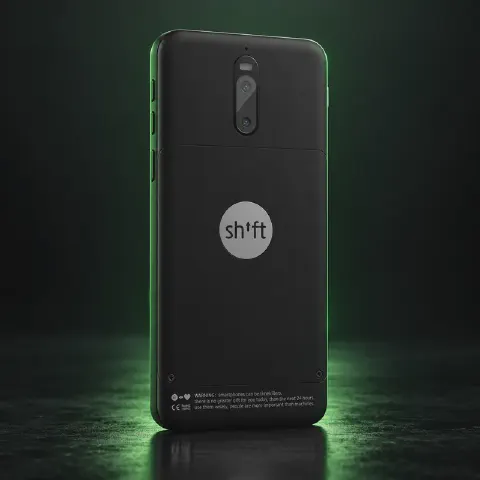
Modular, repairable · now SHIFTphone 8.1 · CalyxOS, iodéOS, /e/OS · ~12-week delivery
Buy buttons may be affiliate links: same price for you, a small commission for us. Side-by-side phone comparison · every private OS explained