CalyxOS guide: is it maintained, which phones, and how to install
Privacy-first Android with microG and a built-in firewall, now covering budget Motorolas and Fairphones as well as Pixels.
- Install effort
- Moderate · web installer
- Apps and Google
- microG, optional
- Relock bootloader
- Yes
- Phones in our database
- 14 model groups
CalyxOS is a free, open-source Android system from the Calyx Institute, a US non-profit. It removes Google’s apps and services, adds a per-app firewall and encrypted backup, and lets you choose microG, a small open-source stand-in for Google Play services, so most everyday apps keep working. It aims to be private by default without asking you to configure much.
If you searched “is CalyxOS still maintained?”, the short answer is yes. The project paused in August 2025 while it rebuilt how updates are signed, and it said at the time that the version on phones was no longer maintained. On July 1, 2026 it announced that CalyxOS was back “with full maintenance support”. On October 1 it began rolling out CalyxOS 8, based on Android 17, and release 8.0.4.50 is now listed for all 30 supported phones.
What sets CalyxOS apart is its phone list. Besides Pixels, it supports the Fairphone 4, 5 and Gen. 6, the SHIFTphone 8 and six budget Motorola models, so you can buy a new, inexpensive phone with a warranty and still run a properly maintained private system. Installing now works from a web installer in your browser, and the bootloader is locked again at the end.
CalyxOS at a glance
| Based on | Android Open Source Project (AOSP), Android 17 |
|---|---|
| Made by | The Calyx Institute, a US non-profit |
| Current release | 8.0.4.50 (October 28, 2026) |
| Supported phones | 30 models: Pixels, Fairphone 4/5/Gen. 6, six moto g phones, SHIFTphone 8 |
| Google services | microG, optional |
| Price | Free and open source |
| Website | calyxos.org |
| App compatibility | microG, optional: a free re-implementation of Google services for push and maps |
| Updates | From the Calyx Institute, monthly on supported devices |
What CalyxOS does for your privacy
microG, on your terms
During setup you choose whether to turn on microG. It handles push notifications and location for apps that expect Google, while sending Google far less than real Play services do. You can switch it off later.
Datura firewall
A built-in firewall lets you block internet access per app, or allow only Wi-Fi or only mobile data. It’s one of the simplest ways to stop an app phoning home.
Seedvault encrypted backup
CalyxOS includes Seedvault, an open-source backup that encrypts your apps and data to a USB stick or cloud storage of your choice, not to Google Drive.
App stores without Google
F-Droid and Aurora Store come preinstalled, so you can get open-source apps and anonymous access to Play Store apps without a Google account. The October 2026 update added a new CalyxOS App Updater.
Locked bootloader
CalyxOS is meant to run with the bootloader locked again after install, which keeps verified boot checking the system each time the phone starts.
Panic button and private defaults
CalyxOS includes Ripple, a panic button that tells supporting apps to lock, hide or clear their data in an emergency. Defaults lean private, so you don’t have to hunt for settings.
What breaks, and what still works
Google Wallet tap-to-pay
Google Wallet won’t work on CalyxOS. Contactless payment is a normal Android feature though, so Curve Pay (UK and EEA), PayPal and many European bank apps can still pay by tap.
The strictest banking apps
Most banking apps run with microG, but apps that demand Google’s certification checks can refuse. Test your bank’s app before you rely on it.
Android Auto
microG doesn’t officially support Android Auto. Users report workarounds that need root and break with updates, so plan on a car mount and a navigation app like Organic Maps or CoMaps instead.
Some Google apps
Google’s own apps can be unreliable on microG, and some stop working after updates. Most third-party apps from Aurora Store work fine.
No Pixel 10 or 10 Pro
Of the Pixel 10 family, only the Pixel 10a is supported. If you want a newer flagship Pixel, GrapheneOS or LineageOS cover it.
CalyxOS pros and cons
Phones to buy for CalyxOS
Each of these runs CalyxOS with official support. Amazon prices change daily, so we show a price band; maker-shop phones show the maker's list price.
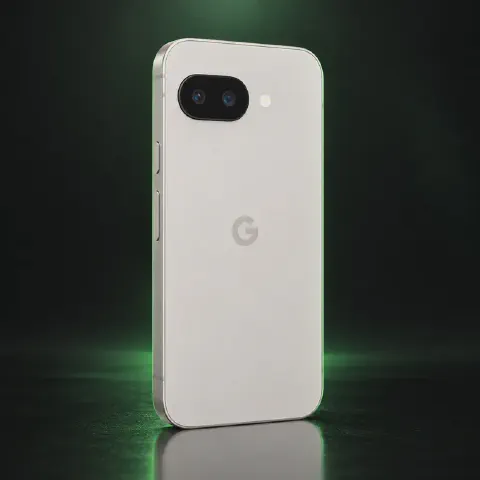
6.3" OLED · updates to April 2032 · GrapheneOS, CalyxOS, iodéOS or LineageOS
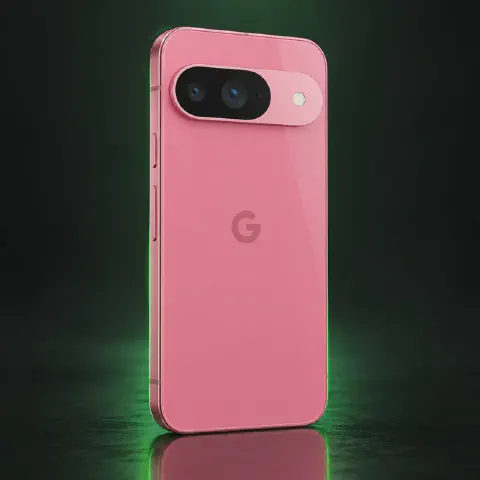
6.3" OLED · updates to 2031 · full OS menu
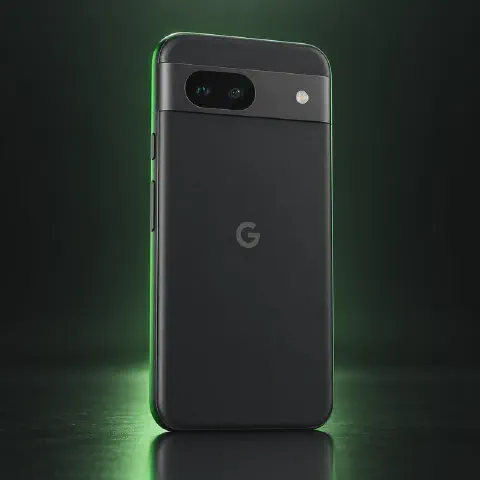
6.1" OLED · updates to 2031 · installs in 20 min
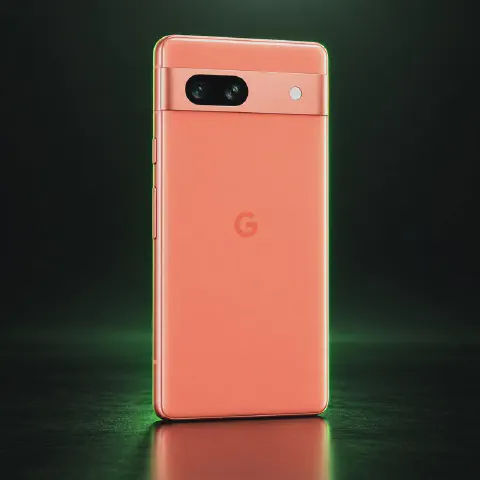
Renewed · updates to May 2028 · GrapheneOS, CalyxOS, iodéOS or LineageOS
More options in the full degoogled phone catalog.
Which phones support CalyxOS?
The CalyxOS install page lists 30 phones and tablets, all on release 8.0.4.50: Pixel 6 through 9 series, the Pixel 10a, Pixel Fold and Pixel Tablet, plus older Pixel 4a (5G), 5 and 5a; the Fairphone 4, 5 and Gen. 6; six Motorola models (moto g 5G 2024, g84, g34 and g45, g52, g42, g32); and the SHIFTphone 8. Pixels sold by Verizon in the US can't install it because their bootloader can't be unlocked. The table below shows every model in our database that runs CalyxOS.
| Brand | Model | Support note |
|---|---|---|
| Google Pixel | Pixel 10 / 10a / Pro / XL / Pro Fold | Pixel 10a only |
| Google Pixel | Pixel 9a | Fully supported |
| Google Pixel | Pixel 9 / 9 Pro / Pro XL / Pro Fold | Fully supported |
| Google Pixel | Pixel 8 / 8 Pro / 8a | Fully supported |
| Google Pixel | Pixel 7 / 7 Pro / 7a | Fully supported |
| Google Pixel | Pixel 6 / 6 Pro / 6a | Supported |
| Google Pixel | Pixel Fold (2023) | Officially supported |
| Google Pixel | Pixel 5 or older | 4a (5G) / 5 / 5a still supported |
| Fairphone | Fairphone (Gen. 6) | Official · updates to ~June 2033 |
| Fairphone | Fairphone 5 | Fully supported |
| Fairphone | Fairphone 4 | Extended support |
| Motorola | moto g 5G (2024) / g84 / g45 / g34 | Officially supported |
| Motorola | moto g52 / g42 / g32 | Officially supported |
| SHIFT | SHIFTphone 8 | Official · CalyxOS estimates updates only to Dec 2026 |
Not sure about your exact model? Look up your phone or open the official CalyxOS device list.
How to install CalyxOS
What you need: A computer with a Chromium-based browser (Chrome, Edge or Brave) for the CalyxOS Web Installer, a good USB-C cable, and your exact model on the CalyxOS device list. Installing erases the phone.
- Check that your exact model is on the CalyxOS install page, then update the stock software.
- On the phone, turn on Developer options and OEM unlocking (some brands need an unlock code first, see the bootloader section above).
- Restart into the bootloader (fastboot) mode and connect the phone to your computer.
- Open the CalyxOS Web Installer in a Chromium-based browser, allow USB access, and follow its steps to unlock the bootloader and flash CalyxOS.
- Relock the bootloader when the install finishes, as the CalyxOS guide asks, then turn OEM unlocking back off.
- During setup, choose whether to turn on microG. You can change your mind later.
CalyxOS vs the alternatives
Pick GrapheneOS if you have a Pixel and want the strongest protection, sandboxed real Google Play and better banking-app support. It's the easier install too.
Pick /e/OS if you'd rather buy a phone with the system preinstalled, or your model isn't on CalyxOS's list. It also uses microG but adds its own cloud.
Pick iodéOS if you want microG plus a built-in, system-wide tracker and ad blocker, on Pixels, Fairphones and some Xperias.
Every system side by side: the feature table and how the privacy scores work.
Who CalyxOS is for
CalyxOS is a good fit if you want a private phone that mostly looks after itself and you don't want to pay Pixel prices. A new budget Motorola or a Fairphone with CalyxOS gets you a warranty, a fresh battery and monthly updates. It also suits people who like having a firewall and encrypted backup built in. If you already own a Pixel and care most about security, GrapheneOS is the stronger pick. If your bank app is strict, test it on CalyxOS first or choose GrapheneOS with sandboxed Play.
CalyxOS FAQ
Is CalyxOS still maintained in 2026?
Yes. CalyxOS paused in August 2025, relaunched on July 1, 2026 with full maintenance support, and began rolling out Android 17 builds on October 1, 2026. Release 8.0.4.50 is listed for all 30 supported devices.
Which phones does CalyxOS support?
Pixel 6 through Pixel 9 series, the Pixel 10a, Pixel Fold and Pixel Tablet, older Pixel 4a (5G), 5 and 5a, the Fairphone 4, 5 and Gen. 6, six budget Motorola moto g models and the SHIFTphone 8. Verizon-locked Pixels can't install it.
Is CalyxOS better than GrapheneOS?
Not on security: GrapheneOS adds more hardening and runs real Google Play in a sandbox. CalyxOS wins on hardware choice, because it supports Fairphones and cheap Motorolas, and it has a built-in firewall and backup that work without setup.
Do banking apps work on CalyxOS?
Most do with microG turned on. Apps that require Google's strictest certification checks can refuse, and Google Wallet doesn't work. Check your bank's app before switching your only phone.
I ran CalyxOS before the pause. Do I need to reinstall?
According to the relaunch post, phones still on the old 6.10.x releases need a clean install of the new release, which erases the phone. Back up with Seedvault and copy your photos off first. After that, updates arrive over the air.
How do I install CalyxOS?
Use the official web installer in Chrome, Edge or Brave, with a USB cable. Remove your Google account from the old system first, turn on OEM unlocking, and let the installer unlock, flash and relock the bootloader.
Sources
- CalyxOS install page and device list (8.0.4.50)
- CalyxOS news: releases and the Android 17 rollout
- CalyxOS is back: release 7.2.2.0 with full maintenance support (July 1, 2026)
- Last OTA update before the new CalyxOS release (August 27, 2025)
- Four new Motorola devices added to CalyxOS (May 2025)
- /e/OS community: Android Auto and microG
Facts come from the CalyxOS project and device makers, checked November 6, 2026. Spotted something out of date? Send us a correction.