iodéOS guide: supported devices, the built-in blocker and what breaks
A French, Google-free Android with a tracker and ad blocker built into the system, sold preinstalled or installed by you.
- Install effort
- Easy · official installer app
- Apps and Google
- microG + built-in tracker blocker
- Relock bootloader
- Some devices
- Phones in our database
- 14 model groups
iodéOS is a degoogled version of Android made by iodé, a small company based in Toulouse, France. It starts from LineageOS, removes Google’s apps and services, and adds the thing that makes it different from every other private Android: a blocker built into the system that filters trackers, ads and malicious domains for every app on the phone, with no VPN slot used up and no extra app to install.
The current iodéOS 7 series is built on LineageOS 23, which is Android 16. iodé shipped version 7 for 34 devices at launch and has kept adding more; its official list now covers about 60 phone and tablet models, from Fairphones and Pixels to older Samsung, Sony, OnePlus and Motorola phones. Updates arrive roughly once a month.
This guide reviews what iodéOS does well, what still breaks, which phones it runs on and how it compares with GrapheneOS, /e/OS and LineageOS. Every fact here comes from iodé’s own pages, its device list and its community forum. We haven’t run iodéOS on our own phones, so where something depends on your bank, carrier or app, we say so.
iodéOS at a glance
| Based on | LineageOS 23 (Android 16) in the current iodéOS 7 series |
|---|---|
| Made by | iodé technologies, Toulouse, France |
| Current release | iodéOS 7.10 (rolling out in early November 2026) |
| Google services | None by default; microG built in for app compatibility |
| Price | Free and open source; optional iodéOS Premium subscription |
| Website | iode.tech |
| App compatibility | microG, plus a built-in tracker and ad blocker you can tune per app |
| Updates | Monthly from iodé |
What iodéOS does for your privacy
System-wide tracker blocker
The iodé blocker filters connections at the DNS level for every app and also watches network traffic, so trackers and ads are cut before they leave the phone. You can loosen or tighten it per app.
Connection map and reports
The iodé app shows which apps contact which servers and where in the world they are, which makes it easy to spot a chatty app and block it.
microG for Google-dependent apps
microG replaces Google Play services so many apps that expect Google keep working, including push notifications through Google’s messaging service. You can switch that off at any time.
Two private app stores preinstalled
Aurora Store installs apps from the Play Store catalogue without a Google account and flags their trackers; F-Droid covers open-source apps.
Relocked bootloader on many models
On Fairphones, Pixels, the BraX3, SHIFT phones and some Motorola models, iodé’s device list says the bootloader can be locked again, which keeps verified boot protection after install.
Monthly updates
iodé says system updates come out about once a month, with Android security patches folded in.
Optional Premium features
An iodéOS Premium subscription adds stronger blocking, the option to cut a whole network type for an app, custom tracker lists, family filters and, in beta since October 2026, a Find My Device service that doesn’t rely on Google.
What breaks, and what still works
Apps that demand Play Integrity
Some banking, ID and payment apps check Google’s Play Integrity and refuse to run on any system Google hasn’t certified. microG can’t fake that. Many banking apps do work, but test yours before you switch for good.
Google Wallet
Google Wallet won’t run, because it needs a Google-certified system. Contactless payment itself is a standard Android feature, so it can work through other apps that support it, such as some European bank apps, PayPal in some countries or Curve Pay in the UK and EEA.
Android Auto
Android Auto depends on Google’s apps. Some owners run it with microG, but the iodé forum has reports of missing features, so don’t count on it if your car relies on it.
Strict blocking can stop some apps
Because the blocker works for the whole system, an over-eager list can break an app’s login or a car or smart-home app. You fix it by allowing that app’s domains in the iodé app.
Updates sometimes lag on some devices
Not every model gets each release on the same day. The BraX3, for example, got iodéOS 7.3 and 7.4 weeks after other phones in spring 2026.
iodéOS pros and cons
Phones to buy for iodéOS
Each of these runs iodéOS with official support. Amazon prices change daily, so we show a price band; maker-shop phones show the maker's list price.
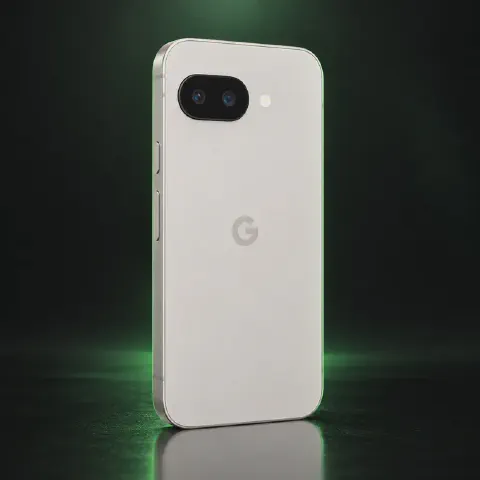
6.3" OLED · updates to April 2032 · GrapheneOS, CalyxOS, iodéOS or LineageOS
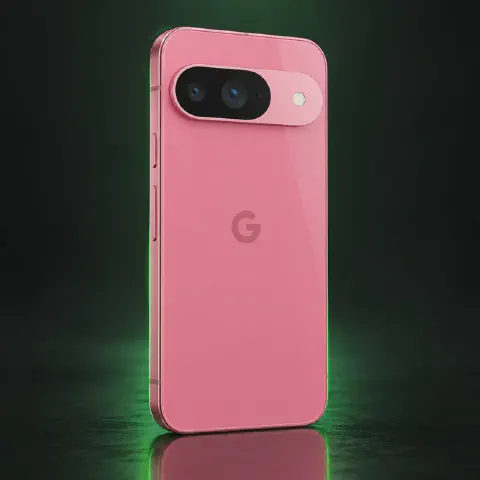
6.3" OLED · updates to 2031 · full OS menu
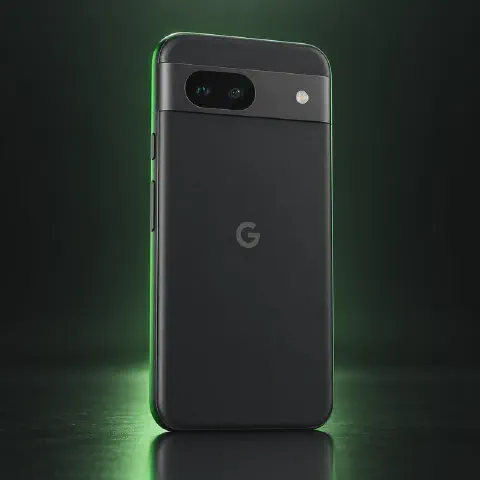
6.1" OLED · updates to 2031 · installs in 20 min
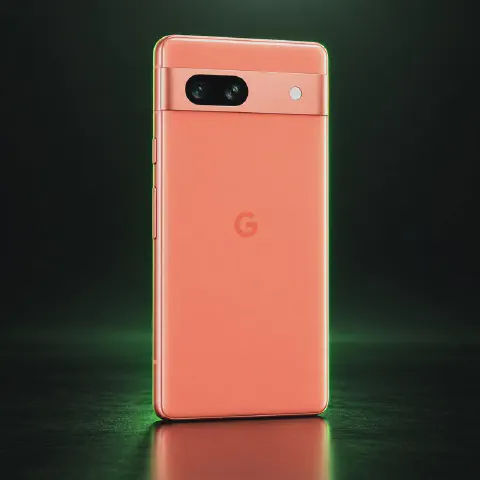
Renewed · updates to May 2028 · GrapheneOS, CalyxOS, iodéOS or LineageOS
More options in the full degoogled phone catalog.
Which phones support iodéOS?
iodé's official list has about 60 models. The best-supported ones run iodéOS 7 on Android 16 and work with the installer: Fairphone 4, 5 and 6, Google Pixel phones from the Pixel 4 to the Pixel 9 family and 9a, the SHIFTphone 8, several moto g and edge models, OnePlus 9, 11 and 13, and the Sony Xperia 1 V and 5 V. A group of older Samsung, Sony, Xiaomi and Teracube phones stays on older iodéOS versions, and the BraX3 ships with iodéOS from the factory. If your phone isn't listed, iodé also offers a generic GSI build and links to community builds, which get less testing. The table below shows what our device database lists for iodéOS.
| Brand | Model | Support note |
|---|---|---|
| Google Pixel | Pixel 9a | Officially supported (iodéOS 7) |
| Google Pixel | Pixel 8 / 8 Pro / 8a | Pixel 8 / 8 Pro supported |
| Google Pixel | Pixel 7 / 7 Pro / 7a | Whole 7 family supported |
| Google Pixel | Pixel 6 / 6 Pro / 6a | Whole 6 family supported |
| Google Pixel | Pixel 5 or older | Pixel 5 supported |
| Fairphone | Fairphone (Gen. 6) | FP6 and FP6+ supported |
| Fairphone | Fairphone 5 | Supported |
| Fairphone | Fairphone 4 | Supported |
| Motorola | moto g52 / g42 / g32 | Officially supported |
| OnePlus | OnePlus 13 / 13R / 12 | OnePlus 13 official (iodéOS 7) |
| Sony | Xperia 1 / 5 / 10 series | Xperia 1 V / 5 V |
| Samsung | Galaxy S series (international) | S9 / S10 generation |
| SHIFT | SHIFTphone 8 | Officially supported, installer-compatible |
| Brax | BraX3 | Ships preinstalled · built by iodé, updates delivered from Brax's servers |
Not sure about your exact model? Look up your phone or open the official iodéOS device list.
How to install iodéOS
What you need: A Windows or Linux computer (the iodé installer has no macOS version), a USB cable and the iodé installer app. Installing erases the phone.
- Check that your exact model is on iodé's supported device list.
- Download the iodé installer for your computer.
- Turn on Developer options, USB debugging and OEM unlocking on the phone, then connect it.
- Follow the installer step by step; it downloads the right build and flashes it.
- Set up the phone and look at the blocker settings in the iodé app.
iodéOS vs the alternatives
/e/OS is the closest match: also microG-based, also sold preinstalled, with its own Murena cloud for mail and files. Pick /e/OS if you want that cloud and the larger device list; pick iodéOS if the built-in blocker matters more.
GrapheneOS is the stronger choice on a Pixel if security comes first. It adds exploit protections and runs Google Play in a sandbox, which helps with banking apps, but it only supports Pixels and has no built-in blocker.
LineageOS is the base iodéOS builds on. Choose it for the widest device support and full control, but it ships without microG or a blocker and usually leaves the bootloader unlocked.
Every system side by side: the feature table and how the privacy scores work.
Who iodéOS is for
iodéOS suits someone who wants a phone that blocks trackers out of the box without fiddling with VPN apps or DNS settings, and who still needs most ordinary Android apps to work. It fits Fairphone and older Pixel owners especially well, since those models get the newest builds, the installer and a relocked bootloader. If you mainly want the strongest protection against targeted attacks, a Pixel with GrapheneOS is the better pick; if you want a Google-free phone delivered ready to use in the US, the BraX3 or a reseller-installed Pixel is the easy route.
iodéOS FAQ
Is iodéOS safe?
iodéOS removes Google's services, blocks trackers system-wide and gets monthly security updates, which makes it far more private than stock Android. It doesn't add the deep exploit hardening that GrapheneOS has, so for protection against targeted attacks GrapheneOS on a Pixel is stronger. On phones where the bootloader can be relocked, verified boot stays on.
Which devices does iodéOS support?
iodé's official list covers about 60 models, including Fairphone 3 to 6, Google Pixel 3 to Pixel 9a, the SHIFTphone 8 and 6mq, the BraX3, several Motorola, OnePlus, Sony, Samsung, Xiaomi and Teracube phones, and Samsung tablets. The Pixel 10 series is not on the list yet. Older models stay on older iodéOS versions.
Do banking apps work on iodéOS?
Many do, because microG handles most Google dependencies. Apps that require Google's Play Integrity check can refuse to run, and that depends on your bank, not on iodéOS. iodé, Murena and Volla are working on an open alternative check called UnifiedAttestation, but banks would still have to adopt it.
Can I use tap to pay on iodéOS?
Google Wallet won't work. Contactless payment is a standard Android feature, so wallet apps that implement it themselves can work, such as some European bank apps, PayPal in some countries or Curve Pay in the UK and EEA. Most public reports of Curve Pay come from GrapheneOS users, so check with your bank or app first.
How do I install iodéOS?
Check that your exact model is on iodé's official device list, then download the iodéOS installer for Windows or Linux. Turn on developer options, USB debugging and OEM unlocking, connect the phone and follow the installer. Installing erases the phone, so back up first.
Is iodéOS free?
Yes, the system is free and open source. iodé sells an optional Premium subscription with extra blocking options, family filters and the new Find My Device feature, and it sells phones with iodéOS preinstalled in Europe.
Can I buy a phone with iodéOS preinstalled in the US?
iodé itself only sells preinstalled phones in Europe. In the US you can buy the BraX3, which ships with iodéOS, or a Pixel from an independent reseller such as OpenMobile that iodé lists in its FAQ.
Sources
- iodé: official supported devices list
- iodé FAQ
- iodé installation page (Windows and Linux installer)
- iodé blog: iodéOS 7 is now officially available
- iodé forum: new Premium feature in beta, Find My Device (Oct 2026)
- iodé forum: iodéOS 7.10 issue reports (Nov 2026)
- iodé forum: Where is iodé 7.3 for BraX3
- iodé forum: OpenMobile, phones with iodéOS for US customers
- heise: consortium works on UnifiedAttestation for Google-free phones
- Notebookcheck: iodéOS 7.3 released
Facts come from the iodéOS project and device makers, checked November 6, 2026. Spotted something out of date? Send us a correction.