LineageOS guide: supported devices, install and how private it is
The biggest community Android, keeping hundreds of phones on current software long after their makers stop.
- Install effort
- Advanced · fastboot and recovery
- Apps and Google
- No Google unless you add it
- Relock bootloader
- Usually no
- Phones in our database
- 23 model groups
LineageOS is a free, open-source Android system maintained by volunteers. It grew out of CyanogenMod and has become the widest lifeline in Android: the official device wiki lists more than 300 phones and tablets, from Pixels and OnePlus flagships to Sony Xperias, Fairphones and phones their makers stopped updating years ago. It ships with no Google apps or services, and you decide what to add.
The newest version, LineageOS 24.0, arrived on October 11, 2026 and is based on Android 17. The project also launched browser-based flash tools at flash.lineageos.org, which talk to the phone over WebUSB, though it says the device-specific wiki guides “remain the default and supported path”. Security patches are merged every month into all supported LineageOS versions.
Be clear about what it is for. LineageOS is excellent at giving a phone current Android without Google, and it’s free. It isn’t a hardened-privacy system like GrapheneOS: on most devices the bootloader stays unlocked after install, and privacy depends on what you put on top. This page covers supported devices, the install, practical privacy tips and when a different system fits better.
LineageOS at a glance
| Based on | Android Open Source Project (AOSP); LineageOS 24.0 = Android 17 |
|---|---|
| Made by | A volunteer community, successor to CyanogenMod |
| Current release | LineageOS 24.0 (October 2026); 23.2 still patched |
| Supported devices | More than 300 on the official wiki |
| Google services | None by default; you can add microG or Google apps |
| Price | Free and open source |
| Website | lineageos.org |
| App compatibility | No Google services by default; you add microG or Google apps yourself if you want them |
| Updates | Weekly community builds; security patch level depends on the device's vendor code |
What LineageOS does for your privacy
No Google out of the box
LineageOS installs with no Google apps, services or account. Nothing is sent to Google unless you choose to flash a Google apps package or install apps that use Google.
Life after official updates
Hundreds of phones get Android 16 or 17 builds years after their makers stopped. It’s the main reason to choose LineageOS.
Monthly security patches
The project merges Android’s monthly security bulletins into every supported LineageOS version, including 23.2 alongside the new 24.0.
Its own private apps
LineageOS ships its own camera (Aperture), gallery (Glimpse), music player (Twelve), browser (Jelly), calendar (Etar) and a new image editor, Canvas, none of which need Google.
Encrypted backup
Seedvault, the open-source backup tool, is built in, so you can back up apps and data to a USB stick or your own storage instead of Google Drive.
Faster updates on A/B phones
LineageOS 24.0 redesigned the Updater to stream updates by default, which the project says greatly cuts install time on phones with A/B partitions.
What breaks, and what still works
Apps that want Google services
Without microG or Google apps, apps that use Google’s push or maps stay silent or crash. Apps with their own push, like Signal or Molly, work fine.
Banking and payment apps
An unlocked bootloader trips the security checks in many banking apps, so LineageOS has the weakest record of the main systems here. Google Wallet won’t work, and other tap-to-pay apps may refuse too.
Some camera features
Each phone’s maker tunes its own camera software. On LineageOS you use the open-source camera, so night modes and portrait effects can be weaker than stock.
Android Auto
Android Auto needs Google services. On LineageOS it works only if you add Google apps, which undoes much of the point.
LineageOS pros and cons
Phones to buy for LineageOS
Each of these runs LineageOS with official support. Amazon prices change daily, so we show a price band; maker-shop phones show the maker's list price.
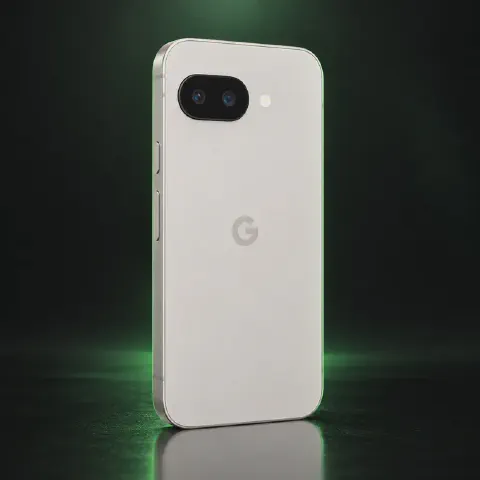
6.3" OLED · updates to April 2032 · GrapheneOS, CalyxOS, iodéOS or LineageOS
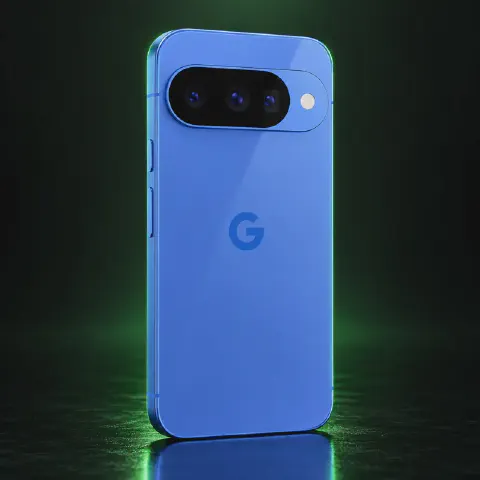
6.3" OLED · updates to Aug 2032 · GrapheneOS or LineageOS · US model eSIM only
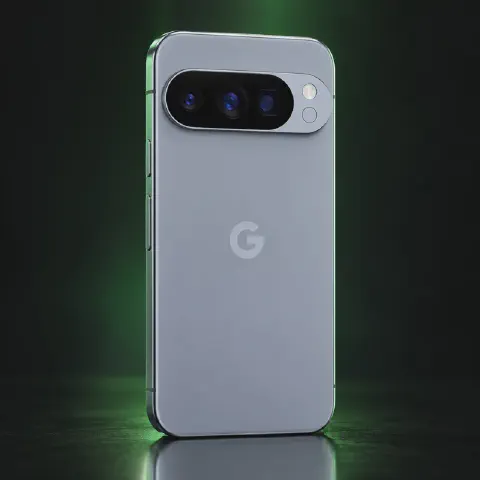
6.3" LTPO · best camera here · updates to Aug 2032 · GrapheneOS or LineageOS
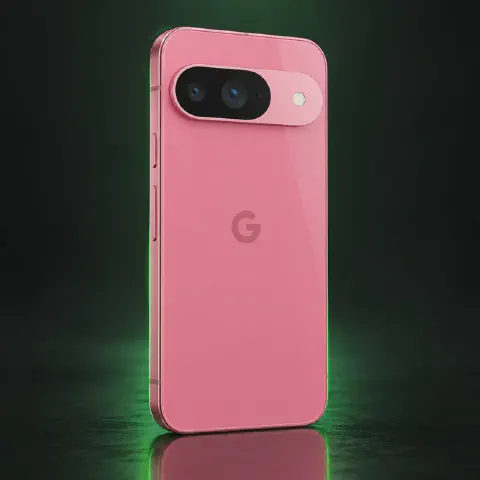
6.3" OLED · updates to 2031 · full OS menu
More options in the full degoogled phone catalog.
Which phones support LineageOS?
LineageOS covers more hardware than any other private Android. The official wiki lists over 300 current devices from dozens of brands, including the whole Google Pixel 10 family (10, 10 Pro, 10 Pro XL, 10 Pro Fold and 10a), the Pixel 9 series, OnePlus 12 and 13, Sony Xperias, Fairphones and many Samsung, Motorola and Xiaomi models. Each one has its own maintainer and its own install page, keyed by codename. Before you commit, open your model's page and check how recently a build was published: a steady monthly rhythm is the best sign it's actively maintained. The table below shows the models in our database.
| Brand | Model | Support note |
|---|---|---|
| Google Pixel | Pixel 10 / 10a / Pro / XL / Pro Fold | Pixel 10 / 10 Pro official (LineageOS 24) |
| Google Pixel | Pixel 9a | Official LineageOS 24 build |
| Google Pixel | Pixel 9 / 9 Pro / Pro XL / Pro Fold | Official builds |
| Google Pixel | Pixel 8 / 8 Pro / 8a | Official builds |
| Google Pixel | Pixel 7 / 7 Pro / 7a | Official builds |
| Google Pixel | Pixel 6 / 6 Pro / 6a | Official builds |
| Google Pixel | Pixel 5 or older | Community builds for most models |
| Fairphone | Fairphone (Gen. 6) | Official (model FP6) |
| Fairphone | Fairphone 5 | Official builds (LineageOS 24) |
| Fairphone | Fairphone 4 | Official builds |
| Motorola | Edge series (2021–2024) | Official builds for Edge / Edge 20 / 30 / 2024 |
| Motorola | Other Moto G models | Check your exact model on the wiki |
| OnePlus | OnePlus 13 / 13R / 12 | OnePlus 13 / 12 official |
| OnePlus | OnePlus 11 / 10 series | Official builds |
| OnePlus | Nord series | Check your exact model |
| Nothing | Nothing Phone (1) / Phone (2) | Phone (1) and (2) official |
| Sony | Xperia 1 / 5 / 10 series | Xperia 1 V (XQ-DQ54/DQ72) / 10 V official |
| Samsung | Galaxy S series (international) | Up to S23 — check your exact model number |
| Samsung | Galaxy A series | Varies by model |
| Xiaomi / Poco | Poco F5 / F6 series | F5 / F5 Pro / F6 official |
| Xiaomi / Poco | Xiaomi 13 / 14 / Redmi Note | Check your exact variant |
| SHIFT | SHIFTphone 8 | Official (LineageOS 24, covers 8.0 and 8.1) |
| Other / not sure | Not sure of my model | Search the device wiki |
Not sure about your exact model? Look up your phone or open the official LineageOS device list.
How to install LineageOS
What you need: A computer with Android platform-tools (adb and fastboot) installed, a USB cable, and an evening. Follow the install page for your exact codename. Installing erases the phone.
- Find your phone's page on the LineageOS wiki by its codename and read the whole install guide once before you start.
- Make sure the stock firmware is the version the guide asks for, then unlock the bootloader the brand's official way.
- Flash the partitions the guide lists (such as boot, dtbo or vendor_boot) and boot into Lineage Recovery.
- In recovery, choose Factory reset → Format data, then Apply update → Apply from ADB, and run adb sideload with the LineageOS zip.
- Reboot. Add F-Droid for apps; skip the optional Google apps package if you want to stay degoogled.
LineageOS vs the alternatives
Pick GrapheneOS if you have a Pixel. It locks the bootloader again, hardens the system and runs Google Play in a sandbox, all with an easier install.
Pick /e/OS if you want something built on LineageOS but friendlier, with microG and an app store already included, or a phone sold with it preinstalled.
Pick CalyxOS for a budget Motorola or a Fairphone if you want a relocked bootloader, microG and a firewall without assembling them yourself.
Every system side by side: the feature table and how the privacy scores work.
Who LineageOS is for
LineageOS is for people who want to keep using a phone they already own, especially one its maker has abandoned, and who are comfortable following a careful step-by-step guide. It's ideal for a second phone, a tablet or an old flagship with plenty of life left. Our privacy tips: skip the Google apps package, install F-Droid, add microG only if you need push for specific apps, and turn off network access for apps that don't need it. If you're buying a new phone for privacy, choose one that runs GrapheneOS or CalyxOS instead.
LineageOS FAQ
Is LineageOS good for privacy?
It removes Google, which is a big step, but it isn't hardened like GrapheneOS. The bootloader stays unlocked on most devices and nothing sandboxes the apps you add. It's private if you keep it lean; it's not a high-security system.
Which devices does LineageOS support?
More than 300 phones and tablets on the official wiki, including the whole Pixel 10 family, Pixel 9 series, OnePlus 12 and 13, many Sony Xperias, Fairphones and Samsung, Motorola and Xiaomi models. Check your exact model by codename on wiki.lineageos.org/devices.
How do I install LineageOS?
Find your phone's page on the LineageOS wiki and follow its install guide: unlock the bootloader, flash the listed partitions, boot Lineage Recovery, format data and sideload the LineageOS zip. Some devices can also use the new browser tools at flash.lineageos.org.
What Android version is LineageOS 24?
LineageOS 24.0 is based on Android 17. It was announced on October 11, 2026. LineageOS 23.2, based on Android 16, still gets monthly security patches.
Can I use Google Play on LineageOS?
Yes, by flashing a Google apps package right after LineageOS, but that brings Google's services back with full system access. Many people use Aurora Store for Play apps and microG for push instead.
Is LineageOS safe after DivestOS shut down?
LineageOS is actively maintained and patched monthly, and it's where many DivestOS users moved after that project ended in December 2024. It's safe to use, but keep in mind it doesn't add DivestOS-style hardening.
Sources
- LineageOS Wiki: list of supported devices
- LineageOS Changelog 32: LineageOS 24.0 and Android 17
- LineageOS Changelog 31: LineageOS 23.2
- LineageOS browser flash tools
- Wikipedia: DivestOS
Facts come from the LineageOS project and device makers, checked November 6, 2026. Spotted something out of date? Send us a correction.