PureOS guide: the Librem 5's free-software Linux, explained
Purism's free-software Linux for phones and laptops, preinstalled on the Librem 5 with hardware kill switches.
- Install effort
- None · preinstalled
- Apps and Google
- Linux apps only
- Relock bootloader
- n/a
- Phones in our database
- 1 model groups
PureOS is a Linux distribution made by Purism, based on Debian and built only from free software. It’s the operating system on Purism’s Librem 5 phone, its made-in-USA sibling the Liberty Phone, and Purism’s laptops. It isn’t Android: there’s no Google account, no app store tracking and no Android layer unless you add one yourself.
The current release is PureOS Crimson, which Purism released to everyone on May 20, 2026 after an alpha in 2025 and a beta early in 2026. Existing Byzantium users get a PureOS Upgrade app through their normal updates. For the Librem 5, Crimson brought a newer kernel, many camera fixes (photos and videos now rotate to match the phone, and photo processing moved to the GPU), a dark mode in the Phosh interface, and a fix for screens rotating at random when the kill switches were used. Work on the next release, PureOS Dawn, has started.
PureOS on the Librem 5 is the most privacy-focused phone setup we list, because the hardware helps: three physical kill switches cut the cellular modem, Wi-Fi and Bluetooth, and the cameras and microphone. The price for that control, explained simply, is convenience. It runs Linux apps, not Android apps, and the hardware is slower than a current mid-range Android phone.
PureOS at a glance
| Based on | Debian GNU/Linux (Crimson tracks Debian 12 Bookworm) |
|---|---|
| Made by | Purism, a US social purpose company |
| Current release | PureOS Crimson (May 2026); Dawn is in development |
| Phone interface | Phosh, the mobile shell Purism started |
| Hardware | Librem 5 and Liberty Phone; also Librem laptops |
| Price | Free and open source; comes with Purism hardware |
| Website | pureos.net |
| App compatibility | Desktop-style Linux apps adapted for phones; no Android apps unless you set up Waydroid |
| Updates | From Purism's PureOS repositories |
What PureOS does for your privacy
Hardware kill switches
Three switches on the Librem 5 physically cut the cellular modem, Wi-Fi and Bluetooth, and the cameras and microphone. Flip all three and GPS is disabled too.
Free software only
PureOS ships only free and open-source software, and its store only lists free software, so there’s no hidden tracking code in the system.
Separate modem
The Librem 5’s cellular modem sits on its own card instead of inside the main chip, so it’s isolated from the rest of the phone.
Same OS on phone and laptop
PureOS is the same Debian-based system Purism puts on its laptops. Plug the Librem 5 into a screen and keyboard and you get a desktop with full Linux apps.
Lifetime updates promise
Purism promises security updates, privacy improvements, bug fixes and new features for the lifetime of the device.
Debian underneath
Thousands of Debian packages are available, and you get a real terminal with full control of your own phone.
What breaks, and what still works
Android apps
PureOS doesn’t run Android apps out of the box. Technically minded users can set up Waydroid, but Purism doesn’t offer it as a supported feature.
Banking and payment apps
There are no native banking apps and no Google Wallet. Plan on using your bank’s website in the browser.
Messaging apps
Calls, SMS and Matrix chat work in built-in apps, but WhatsApp or Signal need workarounds such as Linux desktop clients or bridges.
Speed and battery
The Librem 5’s NXP i.MX 8M Quad chip and 3 GB of RAM are modest, so heavy websites feel slow and you’ll charge more often than with a modern Android phone.
Availability
Purism lists the Librem 5 as backordered at the time of writing, with no firm shipping date.
PureOS pros and cons
Phones to buy for PureOS
Each of these runs PureOS with official support or ships with it. Amazon prices change daily, so we show a price band; maker-shop phones show the maker's list price.
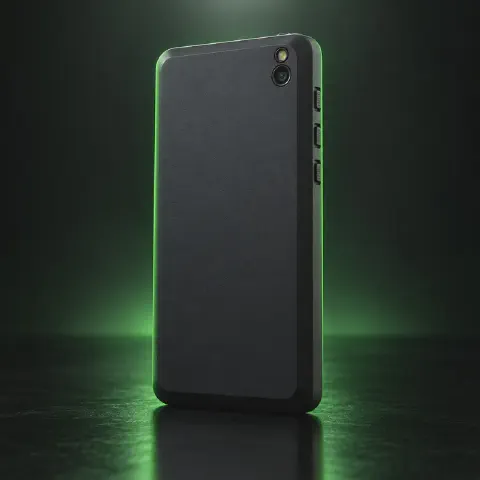
PureOS · hardware switches for radio, camera, mic
Which phones support PureOS?
PureOS is made for Purism's own hardware. On phones that means the Librem 5 and the Liberty Phone, the version assembled in the USA with more memory and storage. Purism says Crimson supports all Librem hardware, including older laptops. You can install PureOS on other PCs, but there's no official PureOS build for Android phones; if you want a similar Linux on other phone hardware, Nura (postmarketOS) or Mobian are the usual routes.
| Brand | Model | Support note |
|---|---|---|
| Purism | Librem 5 | Ships preinstalled |
Not sure about your exact model? Look up your phone or open the official PureOS device list.
How to install PureOS
What you need: Nothing: the Librem 5 ships with PureOS. Reflashing it needs a Linux computer and Purism's flash script.
- Turn the phone on and follow PureOS's first-run setup.
- Install apps from the PureOS Software store, which only lists free software.
- Use the hardware kill switches to cut the modem, Wi-Fi and Bluetooth, or the camera and microphone.
- Run system updates from the Software app or the terminal.
PureOS vs the alternatives
Nura (formerly postmarketOS) also runs on the Librem 5 and on many other phones, with the same Phosh interface available. It's community-run and moves faster, while PureOS is Purism's supported default.
Ubuntu Touch runs on more common phones like Fairphones and Volla, has its own touch interface, and offers Waydroid for Android apps. It lacks hardware kill switches on most devices.
If you need Android apps and banking, GrapheneOS on a Pixel is far more practical and very secure. You trade away the kill switches and the fully free software stack.
Every system side by side: the feature table and how the privacy scores work.
Who PureOS is for
PureOS on the Librem 5 is for people who put control above convenience: journalists, activists, free-software supporters and anyone who wants physical switches that cut the radios and microphone. It also suits Linux users who want the same system in their pocket as on their laptop. If you need Android apps, banking apps or a fast camera, a degoogled Android phone will serve you better, and you can keep a Librem 5 as a second device.
PureOS FAQ
What is PureOS?
PureOS is Purism's Linux distribution, based on Debian and made only of free software. It runs on the Librem 5 phone, the Liberty Phone and Purism's Librem laptops. It isn't based on Android or iOS.
What is the latest PureOS release?
PureOS Crimson, released by Purism on May 20, 2026. It's available to new Librem buyers, existing installs (Byzantium users get an upgrade app) and custom installs. The next release, PureOS Dawn, is in development.
Can PureOS on the Librem 5 run Android apps?
Not out of the box. PureOS runs Linux apps. Experienced users can install Waydroid to run some Android apps, but Purism doesn't advertise it as a supported feature, and apps that need Google's Play Integrity checks won't run.
What do the Librem 5 kill switches do?
There are three hardware switches: one cuts the cellular modem, one cuts Wi-Fi and Bluetooth, and one cuts the cameras and microphone. With all three off, GPS is disabled as well. They work at the hardware level, so software can't switch them back on.
Does the Librem 5 get updates?
Yes. Purism promises security updates, privacy improvements, bug fixes and new features for the lifetime of the device, delivered through PureOS. Crimson brought camera and stability fixes to the Librem 5 in 2026.
Can I use the Librem 5 as my only phone?
Some people do, for calls, SMS, email, Matrix and the web. If you rely on WhatsApp, a banking app or many Android apps, expect workarounds or keep a second phone. Check that your carrier works with the Librem 5's modem first.
Sources
- Purism: PureOS Crimson released (development report)
- Purism: Librem 5
- pureos.net, the official PureOS homepage
- Free Software Foundation: free GNU/Linux distributions
- Purism: PureOS Crimson beta report (Jan–Feb 2026)
Facts come from the PureOS project and device makers, checked November 6, 2026. Spotted something out of date? Send us a correction.