BraX3
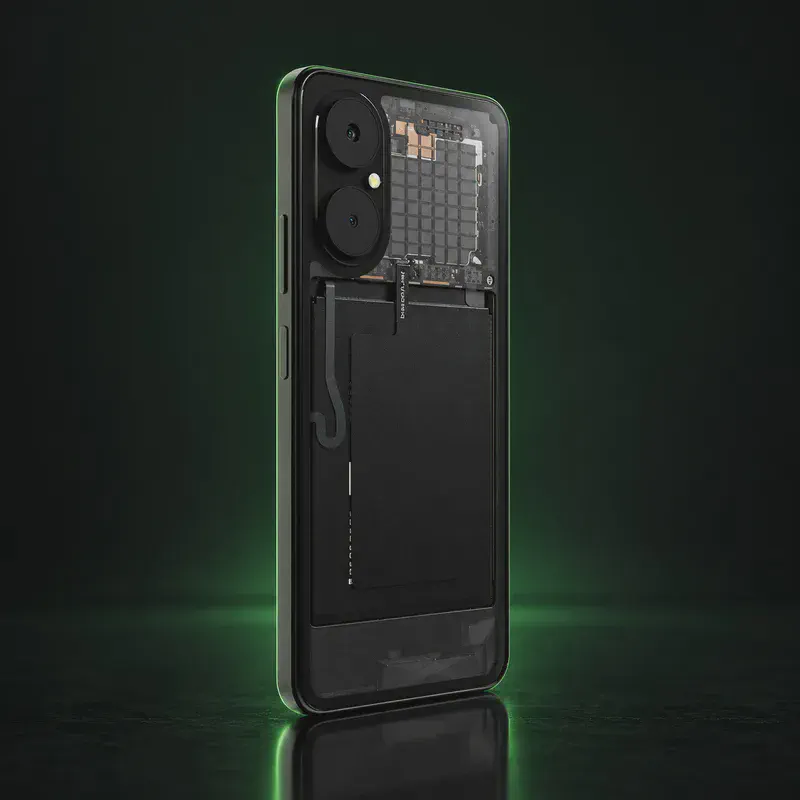
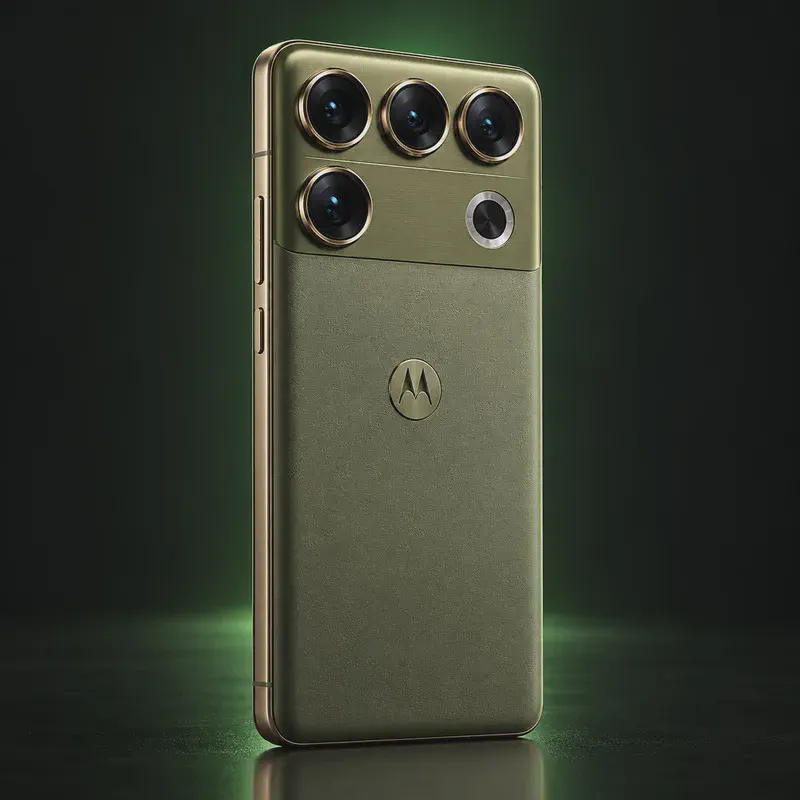
The BraX3 is the third phone from Brax Technologies, the company founded by privacy YouTuber Rob Braxman. It raised over $1 million in crowdfunding at $299 and started shipping in May 2025. A second production run now sells for $379 from Brax’s own store. The hardware is plainly budget: a MediaTek Dimensity 6300, a 6.56-inch 720p screen at 90 Hz, 8 GB of RAM and 256 GB of storage. What you pay for is the software.
It arrives running iodéOS, a French degoogled Android built on LineageOS. There’s no Google account in setup, microG covers apps that expect Google services, and a built-in tracker blocker filters ads and trackers for every app. iodé builds the BraX3 releases and Brax delivers them from its own servers. Releases have reached the BraX3 a few weeks after other iodéOS phones.
Brax’s own system, BraxOS, isn’t out yet. Brax says a beta for the BraX3 and the source code will be published later in 2026, and it will also run on the upcoming Brax Wink phone and open_slate tablet. Until then, think of the BraX3 as an iodéOS phone. It’s a good fit if you want privacy without flashing, but not if you want the hardening of GrapheneOS, which only runs on Pixels.
BraX3 tech specs
| Released | Crowdfunded in 2024; shipping since May 2025; second production run on sale in October 2026 |
|---|---|
| Price | $379 from Brax's own store (in stock October 17, 2026); the crowdfunding price was $299 |
| Display | 6.56-inch LCD with a waterdrop notch, 1612 × 720 (HD+), 90 Hz, about 400 nits typical |
| Chip | MediaTek Dimensity 6300 (2× Cortex-A76 at 2.4 GHz + 6× Cortex-A55), Mali-G57 MC2 GPU |
| RAM | 8 GB LPDDR4X |
| Storage | 256 GB UFS, plus microSD up to 512 GB |
| Rear cameras | 50 MP main (f/1.8, autofocus) and 2 MP macro, dual-LED flash |
| Front camera | 5 MP fixed focus |
| Battery | 5,000 mAh, not user-removable (Brax publishes a battery repair guide) |
| Charging | USB-C, 10 W wired, USB 2.0 data |
| SIM | One nano-SIM plus eSIM, two profiles active at once |
| Wireless | Wi-Fi 5, Bluetooth 5.2, NFC; GPS, Galileo, GLONASS, BeiDou and QZSS |
| Fingerprint | Side-mounted capacitive reader |
| Headphone jack | Yes, 3.5 mm, plus hardware FM radio |
| Build | Glass front and back (see-through back), polycarbonate frame; no IP rating |
| Size and weight | About 168 × 77 × 9 mm, 192 g |
| US carriers | Works on T-Mobile and many T-Mobile-based carriers; no Verizon bands; most AT&T-based carriers still awaiting approval |
| Made by | Designed by Brax Technologies, manufactured by Lunr |
| Codename | brax3 (used on OS download pages) |
Strengths and drawbacks
Private operating systems for the BraX3
One private system officially supports this exact model (codename brax3). The table compares them on the things that matter day to day; the install guides below walk through each one.
| System | Support | Privacy | Effort | Apps and Google |
|---|---|---|---|---|
| iodéOSiodéOS 7 (Android 16, LineageOS 23 base) | Preinstalled | 7.5/10 | None · arrives installed | microG + built-in tracker blocker |
| BraxOSBeta promised for later in 2026 | Confirmed, coming | Not rated | Not released yet | Unknown until release |
- iodéOS: Ships on the phone. iodé builds it, and since version 7.4 (April 2026) the updates are delivered from Brax's own servers. BraX3 releases have arrived a few weeks after other iodéOS phones get them (7.3 and 7.4 were both delayed in March–April 2026).
- BraxOS: Brax's own degoogled Android. On October 14, 2026 Brax support wrote that BraxOS "is not yet published" and that a beta for the BraX3, plus the source code, is planned "later this year". Nothing is out yet, so it has no privacy score.
Not available for this model
- GrapheneOS: GrapheneOS supports Google Pixel phones only, and Brax said in June 2025 that no port is planned, official or unofficial.
- CalyxOS: Not on CalyxOS's device list; CalyxOS doesn't support MediaTek phones.
- LineageOS: Not on LineageOS's official device list. Brax lists a community LineageOS port as "in development".
- Ubuntu Touch: Brax lists Ubuntu Touch, but its own notes say the port is in development, needs LunarOS installed first, and community members report nobody is maintaining it. Not ready for everyday use.
- /e/OS: Not on the /e/OS device list as of October 2026.
Privacy scores and effort levels are explained in how we score each system; the feature-by-feature OS table goes deeper.
Do you need to flash anything?
You don't need to flash anything: the BraX3 arrives with iodéOS installed and the bootloader can stay locked. Unlocking is only needed to try another system, such as the BraxOS beta when it comes out. Brax's guide uses a computer with Android platform tools and the MediaTek USB driver.
- On the phone, open Settings > About phone and tap Build number seven times. Then turn on OEM unlocking and USB debugging in Settings > System > Developer options.
- Connect the phone with a good USB data cable, tap Allow on the debugging prompt, and run adb devices to check it shows up.
- Run adb reboot bootloader. The screen shows FASTBOOT MODE.
- Run fastboot flashing unlock and press Volume Up within 3 seconds to confirm.
- Run fastboot flashing unlock_critical and confirm with Volume Up again.
- To relock later, run fastboot flashing lock_critical and then fastboot flashing lock, confirming each one the same way.
- Unlocking or relocking erases everything on the phone. Back up first.
- Brax warns that an unlocked bootloader can break over-the-air updates on the BraX3; while unlocked, update by flashing the full firmware (SP Flash Tool) instead. Relock when you're done.
- Owners report boot loops after unlocking and a bricked phone after flashing an older firmware file. Newer units may need a different preloader, so only use firmware Brax publishes for your batch.
How to install a private OS on the BraX3
Short versions of each project's official guide. Always keep the official page open while you work: it has the exact files for your model and changes faster than any summary.
Setting up iodéOSPreinstalled
What you need: A Windows, macOS or Linux computer, a USB cable and the iodé installer app. Installing erases the phone.
Apps: microG, plus a built-in tracker and ad blocker you can tune per app.
- Check that your exact model is on iodé's supported device list.
- Download the iodé installer for your computer.
- Turn on Developer options, USB debugging and OEM unlocking on the phone, then connect it.
- Follow the installer step by step; it downloads the right build and flashes it.
- Set up the phone and look at the blocker settings in the iodé app.
Installing BraxOSNot released yet
What you need: A Windows or Linux computer, a USB cable, the MediaTek USB driver and Android platform tools, going by how Brax installs other systems on the BraX3 today
Apps: Not known yet: Brax hasn't published BraxOS, so app support and Google-free details can't be checked. Bootloader: Not announced.
- Watch Brax's BraxOS status page and community forum for the beta announcement.
- Back up everything first: changing systems on the BraX3 erases the phone.
- Follow Brax's manual-install guide for the BraX3 (fastboot, or SP Flash Tool for a full firmware image).
- Keep a copy of the stock iodéOS firmware so you can go back if the beta disappoints.
Who the BraX3 is for
People who want a cheap phone that's private out of the box and don't want to flash anything, especially in Europe, Canada or on a T-Mobile-based US carrier. If you want the strongest security or use Verizon, a Pixel with GrapheneOS is the better buy.
BraX3 questions, answered
Does the BraX3 come degoogled?
Yes. It ships with iodéOS, which has no Google apps or Google account step. microG lets apps that expect Google services work, and the phone's built-in blocker filters trackers in every app.
Is BraxOS available on the BraX3?
Not yet. On October 14, 2026 Brax support said BraxOS "is not yet published" and that a beta for the BraX3, along with the source code, is planned for later this year.
Can the BraX3 run GrapheneOS?
No. GrapheneOS only supports Google Pixel phones, and Brax has said no port is planned. If GrapheneOS is what you want, buy a Pixel instead.
Does the BraX3 work on Verizon or AT&T?
Not on Verizon, which the phone has no bands for. Brax's carrier list shows most AT&T-based carriers as still awaiting approval, while T-Mobile and many T-Mobile-based carriers such as Mint Mobile work. Canadian carriers and most European ones are listed as compatible.
Who makes the BraX3?
Brax Technologies designs it, and Brax's documentation names Lunr as the manufacturer.
Sources
- Brax store — BraX3 (price, stock)
- Brax docs — BraX3 overview and supported systems
- Brax docs — BraX3 device specifications
- Brax docs — BraX3 carrier support
- Brax docs — How to unlock the bootloader
- Brax community — BraX3 supported operating systems
- iodé community — iodéOS 7.3 and 7.4 on the BraX3
- The Register — Brax3 crowdfunding and shipping (Jan 2026)
Every fact on this page comes from the maker or the OS project's own pages, checked October 17, 2026. We don't claim hands-on testing. Found something out of date? Report a correction.