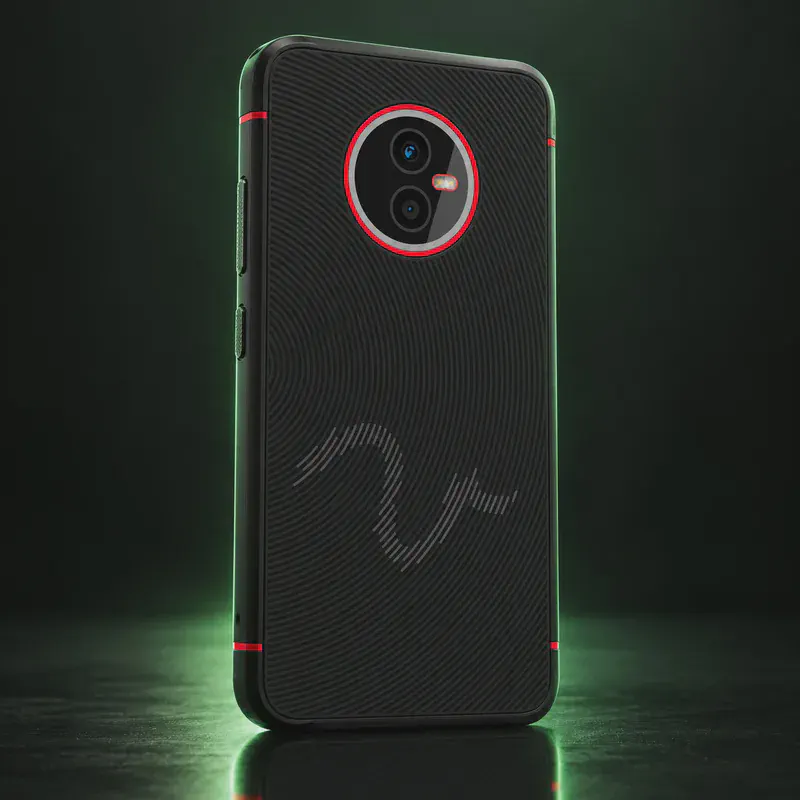
Jolla C2
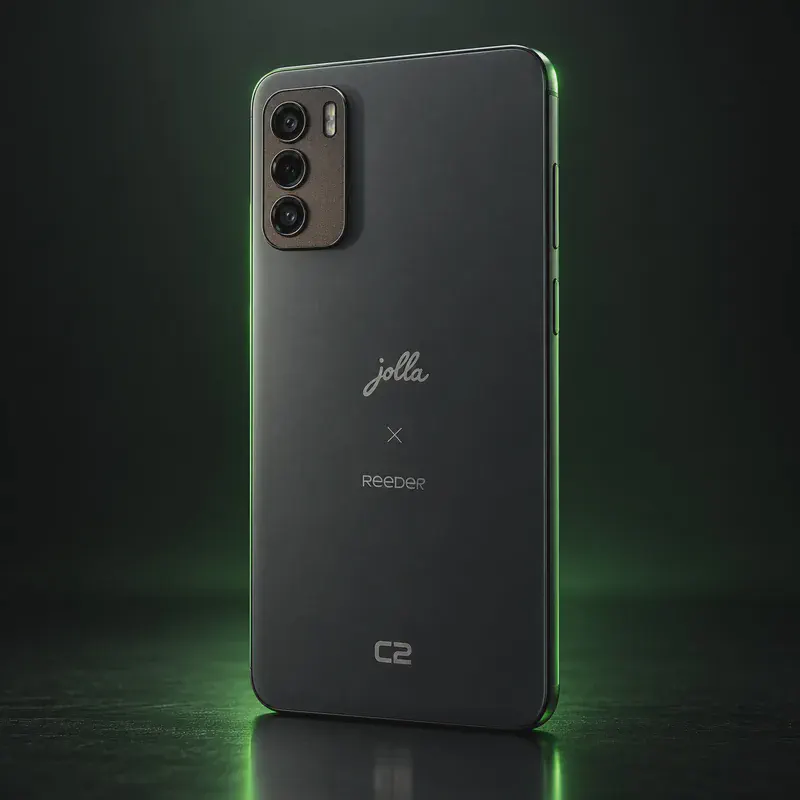
The Jolla C2 Community Phone is the budget handset Jolla sells as its own Sailfish OS phone. The hardware comes from Reeder, a manufacturer in Turkey (the C2 is a rebadged Reeder S19 Max Pro S), and Jolla does the software. It has a Unisoc T606 chip, 8 GB of RAM, 128 GB of storage with microSD, a 6.6-inch 720p screen and a headphone jack.
Sailfish OS is a Linux-based system made in Finland, not an Android fork. Google is not in the stack by default. If you need an app from the Android world, AppSupport runs Android 13 apps in a container, and microG is available for apps that expect Google services. Jolla says the licence is included and promises free OS and security updates for at least five years. As of October 2026 the C2 runs Sailfish 5.1. Version 5.2 is reaching the new Jolla Phone first.
The main trade-off is reach. The shop only ships to the EU, the UK, Norway and Switzerland, and the phone is often on backorder. The hardware is modest, and the Sailfish 5.1 release notes list Bluetooth and WPA3 problems on this model. Pick it for the OS, not for the specs.
Jolla C2 tech specs
| Released | Late 2024 (announced May 2024) |
|---|---|
| Display | 6.6-inch LCD, 1600 × 720 |
| Chip | Unisoc T606, octa-core (2× Cortex-A75 + 6× Cortex-A55) |
| RAM | 8 GB |
| Storage | 128 GB |
| microSD | Yes |
| Cameras | 64 MP / 16 MP / 8 MP (Jolla lists the sensors without saying which is front or rear) |
| Battery | 4,000 mAh |
| Connectivity | 4G LTE with VoLTE, Wi-Fi 802.11ac, Bluetooth 5.0 |
| SIM | Dual nano-SIM (plus microSD slot) |
| Headphone jack | Yes, 3.5 mm |
| USB | USB Type-C |
| Size | 179 × 78 × 8.5 mm |
| Weight | About 207 g (GSMArena figure; Jolla does not publish it) |
| Android app support | Optional AppSupport, Android 13 (API level 33) |
| Warranty | 2 years for hardware defects |
| Price | €369 incl. VAT (Jolla Shop, Oct 2026) |
| Codename | jolla-c2 (Reeder S19 Max Pro S) (used on OS download pages) |
Strengths and drawbacks
Private operating systems for the Jolla C2
One private system officially supports this exact model (codename jolla-c2 (Reeder S19 Max Pro S)). The table compares them on the things that matter day to day; the install guides below walk through each one.
| System | Support | Privacy | Effort | Apps and Google |
|---|---|---|---|---|
| Sailfish OSSailfish OS 5.1.0.11 'Pispala' (released to all 16 June 2026) | Preinstalled | 7.5/10 | None · arrives installed | Android apps via AppSupport |
- Sailfish OS: Jolla's own reference device, with the Sailfish OS licence included; Sailfish 5.2 is rolling out to the new Jolla Phone first and other devices follow later.
Not available for this model
- Nura (postmarketOS): Nura (the new name of postmarketOS since Sept 2026) has a jolla-c2 port, but only in the 'testing' category: GPS is broken and calls, SMS, mobile data and Wi-Fi are only partly working.
- Ubuntu Touch: Not on the Ubuntu Touch device list as of Oct 2026.
- GrapheneOS: GrapheneOS supports Google Pixel phones only.
- LineageOS: No official LineageOS build for the C2 or the Reeder S19 Max Pro S.
Privacy scores and effort levels are explained in how we score each system; the feature-by-feature OS table goes deeper.
Do you need to flash anything?
There is no unlock step. The C2 ships with Jolla's own bootloader and can be reflashed over fastboot with the official image from the Jolla Shop.
- Sign in to the Jolla Shop, take the free trial licence for supported devices and download the C2 zip from Downloads.
- If the phone runs Sailfish 5.0.0.29 or older, update the bootloader first by copying lk.bin to the phone and running the flash-bootloader script as root.
- Power off, press Power until it vibrates, then hold Volume Down until 'fastboot mode' shows in the top-left corner.
- Connect to a Linux PC and check the link with 'fastboot devices'.
- Flash the boot, vendor_boot, dtbo, userdata and super images one by one as listed in Jolla's guide.
- Flashing wipes all data on the phone. Back up first.
- A lower-level 'Unisoc flash mode' method exists, but forum users note it has more ways to brick the phone than fastboot.
- Reeder-branded S19 Max Pro S units are the same hardware, but users report extra bootloader steps (lk.bin) before the Sailfish image boots. That route is community-only.
- Jolla's guide is written for Linux; on Windows it needs the Sony Xperia fastboot driver.
How to install a private OS on the Jolla C2
Short versions of each project's official guide. Always keep the official page open while you work: it has the exact files for your model and changes faster than any summary.
Setting up Sailfish OSPreinstalled
What you need: Nothing on a Jolla phone: it ships with Sailfish OS. Supported Sony Xperias need a Sailfish X licence, an unlocked bootloader and a computer.
Apps: Jolla's AppSupport layer runs many Android apps; native Sailfish apps from the Jolla Store.
- On a Jolla phone, turn it on and follow the setup screens; Sailfish OS is already installed.
- Sign in with a Jolla account only if you want the Jolla Store and system updates.
- Turn on Android AppSupport in Settings if you need Android apps, and get them from F-Droid or Aurora Store.
- Keep system updates on; they come from Jolla.
Who the Jolla C2 is for
Buyers in Europe who want to move away from Android and iOS and still keep a fallback for Android apps. It suits people who accept mid-range hardware and some app gaps in exchange for a phone and OS made in Europe.
Jolla C2 questions, answered
Can the Jolla C2 run Android apps?
Yes. Sailfish OS includes optional AppSupport, which runs Android 13 (API 33) apps. Google services are not included, but you can turn on microG; apps that rely heavily on Google may still fail.
Is the Jolla C2 the same as the Reeder S19 Max Pro S?
Yes. Jolla's own Sailfish device table lists the C2 by the Reeder model name S19 Max Pro S. Jolla only supports the Jolla-branded unit; flashing a Reeder retail unit is a community effort.
Can I buy a Jolla C2 outside Europe?
Jolla's shop sells and ships the C2 only within the EU, the UK, Norway and Switzerland. The listing was sold out with a 6–8 week backorder in October 2026.
Sources
- Jolla Shop — Jolla C2 Community Phone product page
- Sailfish OS Documentation — Supported Devices
- Sailfish OS Forum — Release notes Pispala 5.1.0.11
- Sailfish OS Forum — Release notes Finlayson 5.2.0.20 (Jolla Phone first)
- Sailfish OS Forum — Fastboot flashing of Jolla C2 (Jolla support)
- Sailfish OS Forum — Update on Jolla C2 Q4/25 production batch
- Sailfish OS Forum — Sailfish OS voluntary subscription
- Nura (formerly postmarketOS) wiki — Jolla C2 (jolla-c2)
- GSMArena — Jolla C2 (weight only, fallback)
Every fact on this page comes from the maker or the OS project's own pages, checked October 14, 2026. We don't claim hands-on testing. Found something out of date? Report a correction.