PinePhone Pro
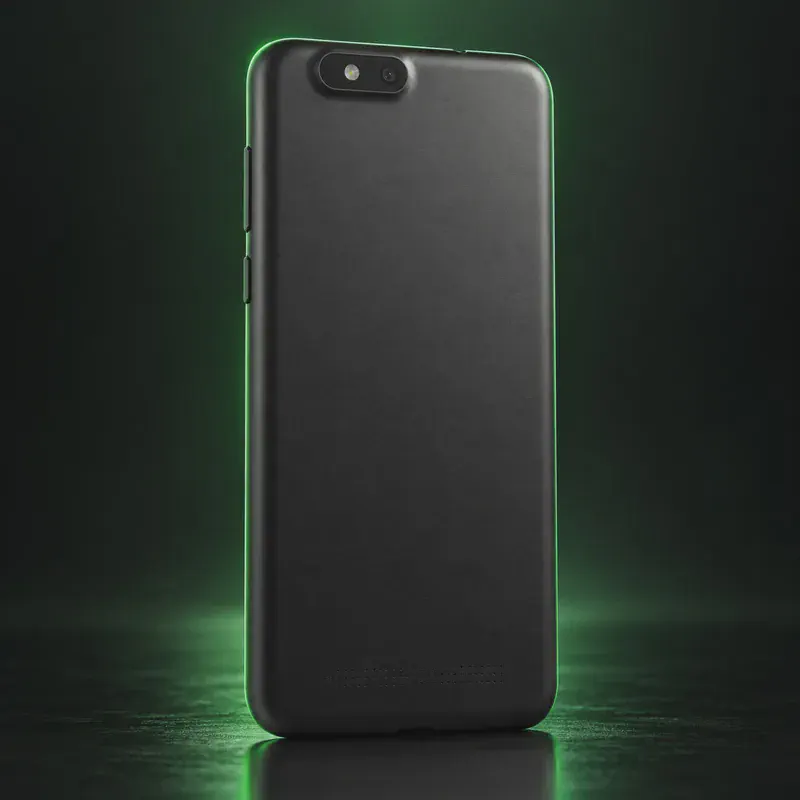
The PinePhone Pro is the faster follow-up to PINE64’s original PinePhone, announced in October 2021. It runs mainline Linux on a Rockchip RK3399S with 4 GB of RAM and 128 GB of storage. Like the first PinePhone, it has six DIP switches under the back cover that physically cut the modem (and GPS), Wi-Fi and Bluetooth, the microphone and each camera.
There is no locked bootloader, and you can boot any supported system from a microSD card. Nura (the new name for postmarketOS since September 2026) lists it in its ‘community’ tier, with Wi-Fi, Bluetooth, GPS, data and disk encryption working. Calls and SMS are partial and are not received while the phone is suspended. Mobian, Arch Linux ARM and Ubuntu Touch 20.04 also run on it, with varying polish. No Android app layer is set up out of the box.
The main catch is availability. PINE64 announced in August 2025 that the PinePhone Pro is discontinued. The store’s new and refurbished listings both show ‘out of stock’, and spare parts are only promised for up to two years. PINE64 itself calls it a device for developers and early adopters with a 30-day warranty.
PinePhone Pro tech specs
| Released | Announced October 2021; discontinued August 2025 |
|---|---|
| Display | 6-inch in-cell IPS, 1440 × 720, Gorilla Glass 4 |
| Chip | Rockchip RK3399S (2× Cortex-A72 + 4× Cortex-A53), Mali-T860 MP4 GPU |
| RAM | 4 GB LPDDR4 |
| Storage | 128 GB eMMC |
| microSD | Yes, up to 2 TB |
| Rear camera | 13 MP Sony IMX258 with LED flash |
| Front camera | 8 MP OmniVision OV8858 |
| Battery | 3,000 mAh, removable |
| Charging | USB-C, 15 W (5 V 3 A), USB PD |
| Privacy switches | 6 DIP switches under the back cover: modem (incl. GPS), Wi-Fi/BT, microphone, rear camera, front camera, headphone/UART |
| Modem | Quectel EG25-G, global LTE bands |
| SIM | Single nano-SIM |
| Headphone jack | Yes, 3.5 mm (doubles as serial port) |
| Weight | About 215 g |
| Size | 160.8 × 76.6 × 11.1 mm |
| Price | $399 community price (PINE64 store; out of stock) |
| Codename | pine64-pinephonepro (used on OS download pages) |
Strengths and drawbacks
Private operating systems for the PinePhone Pro
No private system lists this model as fully official (codename pine64-pinephonepro), plus 2 community builds or ports that work with less polish and slower fixes. The table compares them on the things that matter day to day; the install guides below walk through each one.
| System | Support | Privacy | Effort | Apps and Google |
|---|---|---|---|---|
| Nura (postmarketOS)Nura (formerly postmarketOS) v26.06 stable, kernel 7.0 | Community port | 8/10 | Advanced · Linux tooling | Linux apps; Android via Waydroid |
| Ubuntu TouchUbuntu Touch 20.04 (focal), manual install | Community port | 8/10 | Moderate · UBports installer | Linux apps; Android via Waydroid |
- Nura (postmarketOS): In Nura's 'community' category: Wi-Fi, Bluetooth, GPS, mobile data and disk encryption work; calls/SMS are partial and are not received while the phone is suspended.
- Ubuntu Touch: Listed by UBports with only 'Basic support': no UBports Installer support, camera photo/video still to do, and not yet on the current 24.04 release.
Not available for this model
- Sailfish OS: PINE64 ships a pre-beta Sailfish build in the factory, but it is a community port; Jolla does not list the PinePhone Pro as a supported device and there is no Android AppSupport.
- PureOS: PureOS is made for Purism's own hardware; no official PinePhone Pro image.
- GrapheneOS: GrapheneOS supports Google Pixel phones only.
Privacy scores and effort levels are explained in how we score each system; the feature-by-feature OS table goes deeper.
Unlocking the bootloader on the PinePhone Pro
There is no locked bootloader. You write a system image to a microSD card, boot from it, and optionally copy it to the internal eMMC.
- Download a PinePhone Pro image (e.g. Nura/postmarketOS, Mobian or Arch Linux ARM) from the project's site.
- Write the image to a microSD card from your computer.
- Insert the card, hold the RE button and Power together, and let go; the phone boots from the card.
- To install permanently, follow your distro's eMMC guide (Nura: wipe the SPI flash, then write the image to the eMMC).
- Remove the card, reconnect the battery and power on from the eMMC.
- Tow-Boot is no longer developed, and U-Boot is now the default; some images (Mobian) still say Tow-Boot is required, so read each distro's notes.
- If the battery drains fully the phone can bootloop; PINE64 and Nura document a recovery procedure.
- PINE64 gives only a 30-day device warranty.
- The phone is discontinued; spare parts are promised for up to two years after August 2025, depending on demand.
How to install a private OS on the PinePhone Pro
Short versions of each project's official guide. Always keep the official page open while you work: it has the exact files for your model and changes faster than any summary.
Installing Nura (postmarketOS)Advanced · Linux tooling
What you need: A computer, often a microSD card, and comfort with Linux. Check the device's page on the Nura wiki for its support category first.
Apps: Native Linux apps from Alpine Linux's repositories; Android apps only through Waydroid. Bootloader: stays unlocked with this build.
- Find your device on the Nura wiki (formerly the postmarketOS wiki) and check its support category: main, community or testing.
- Download the prebuilt image for your device and interface (Phosh, Plasma Mobile or Sxmo), or build one with pmbootstrap.
- Write it to a microSD card or flash it as the wiki page describes.
- Boot it, finish setup, and update packages with the Software app or apk.
Installing Ubuntu TouchModerate · UBports installer
What you need: A Windows, macOS or Linux computer with the UBports Installer, and a USB cable. Some ports need a specific stock Android version first; the device page says which.
Apps: Native Linux apps from the OpenStore; Android apps only through Waydroid, which isn't seamless. Bootloader: stays unlocked with this build.
- Open your model's page on devices.ubuntu-touch.io and check the support level and any firmware requirement.
- Install the UBports Installer on your computer.
- Unlock the bootloader if the device needs it, then connect the phone.
- Pick your device and the stable channel in the installer, and follow its prompts.
- After the first boot, get apps from the OpenStore.
Who the PinePhone Pro is for
Linux developers and tinkerers who want an open phone with physical privacy switches and are fine flashing images and fixing things themselves. Not a phone for everyday users, and it can now only be found second-hand.
PinePhone Pro questions, answered
Is the PinePhone Pro still for sale?
No. PINE64 announced in August 2025 that it is discontinued, and both the new and the refurbished listings in the PINE64 store show 'out of stock' in October 2026. Spare parts are promised for up to two years, depending on demand.
Which operating systems run on the PinePhone Pro?
Nura (formerly postmarketOS) supports it in its community tier, and Ubuntu Touch 20.04 has a basic manual-install port. Mobian, Arch Linux ARM and others publish images too. All boot from a microSD card.
Can the PinePhone Pro be a daily phone?
PINE64 says it is aimed at developers and is not a consumer-ready product. Nura's wiki notes that calls and texts are not received while the phone is suspended, so expect trade-offs.
Sources
- PINE64 — A Quick Community Update on PinePhone Pro (discontinuation, Aug 2025)
- PINE64 Store — PinePhone Pro Explorer Edition (specs, price, stock)
- PINE64 — PinePhone Pro device page
- PINE64 docs — PinePhone Pro software releases
- Nura (formerly postmarketOS) wiki — PINE64 PinePhone Pro (pine64-pinephonepro)
- Ubuntu Touch devices — PinePhone Pro (focal)
Every fact on this page comes from the maker or the OS project's own pages, checked October 14, 2026. We don't claim hands-on testing. Found something out of date? Report a correction.