Google Pixel 10
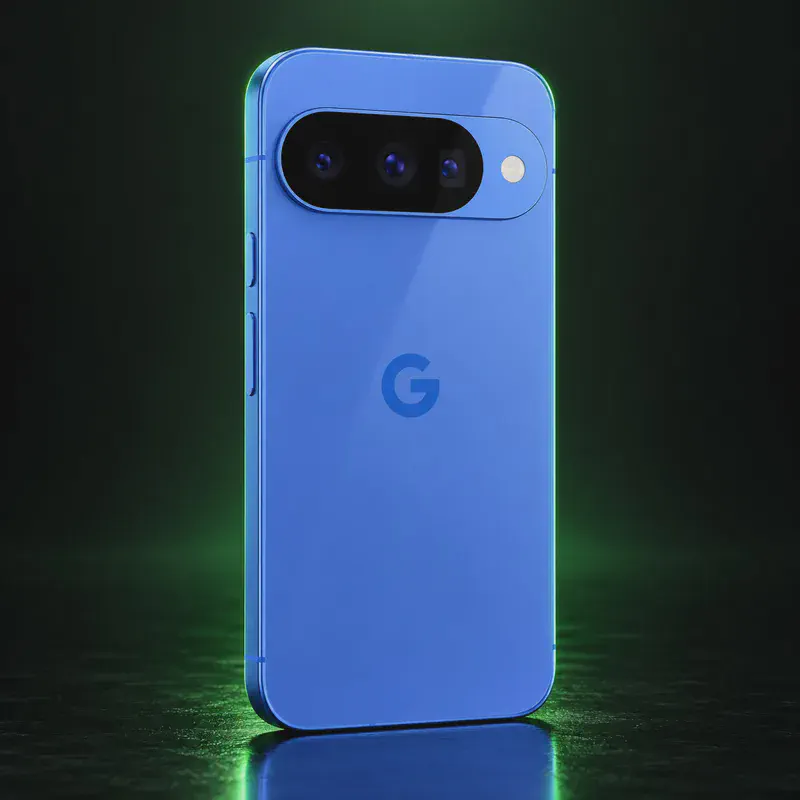
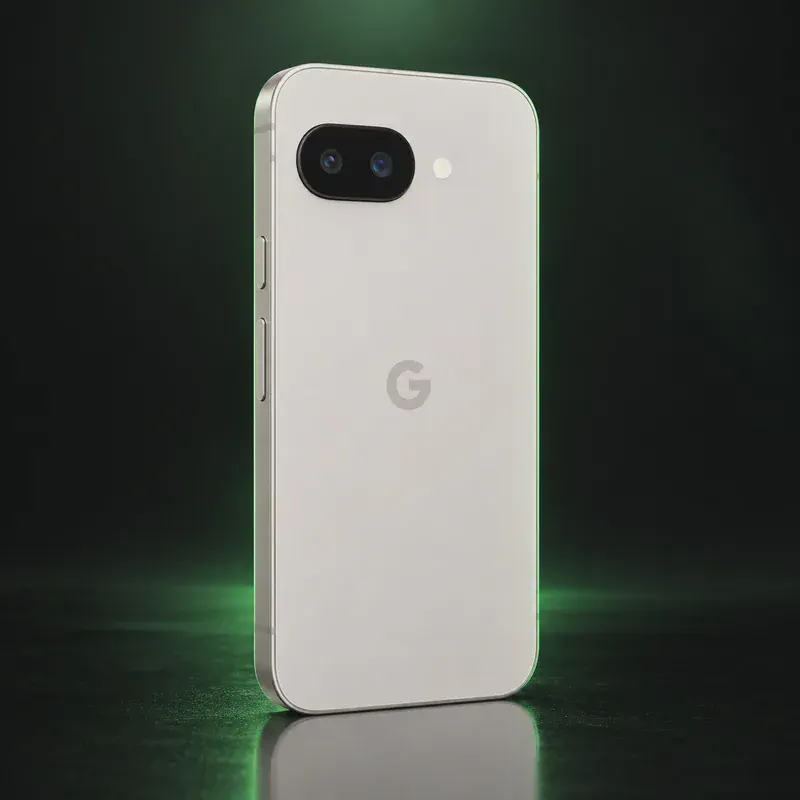
The Pixel 10 is Google’s 2025 standard flagship, built on the Tensor G5 chip with 12 GB of RAM, a 6.3-inch 120 Hz OLED screen and, for the first time on the base model, a 5x telephoto camera. Google promises seven years of updates, to August 2032, and adds Qi2 magnetic wireless charging it calls Pixelsnap.
For privacy, the short list is GrapheneOS and LineageOS. GrapheneOS added Pixel 10 support in late November 2025 as an experimental release and now lists it with production builds on Android 17. LineageOS 24.0 has official builds too, though it leaves the bootloader unlocked. CalyxOS, iodéOS and /e/OS do not support this model as of October 2026, so if you prefer one of those, the Pixel 9a or 9 is the safer buy.
One detail matters for US buyers: the US Pixel 10 has no SIM tray and uses eSIM only. GrapheneOS can run eSIMs, but adding new ones means turning on an optional Google component. Google Wallet will not work on GrapheneOS; some bank apps and Curve Pay in the UK and EEA can still pay by tap. If you want the newest Pixel camera and the longest runway on GrapheneOS, this is it.
Google Pixel 10 tech specs
| Released | August 2025 |
|---|---|
| Display | 6.3-inch OLED, 1080 × 2424, 60–120 Hz, up to 3,000 nits peak |
| Chip | Google Tensor G5 |
| RAM | 12 GB |
| Storage | 128 GB or 256 GB |
| Rear cameras | 48 MP wide (f/1.7) + 13 MP ultrawide (f/2.2) + 10.8 MP 5x telephoto (f/3.1, OIS) |
| Front camera | 10.5 MP with autofocus (f/2.2) |
| Battery | 4,970 mAh typical (4,835 mAh minimum) |
| Charging | Up to 55% in about 30 min with a 30 W+ USB-C PPS charger; Qi2 (Pixelsnap) wireless up to 15 W |
| Water/dust rating | IP68 |
| Weight | 204 g (7.2 oz) |
| Size | 152.8 × 72.0 × 8.6 mm |
| Headphone jack / microSD | No / No |
| Security chip | Titan M2 security coprocessor |
| SIM | US model: dual eSIM only, no physical SIM slot |
| Bootloader unlock | Yes on unlocked (non-carrier) units, via OEM unlocking |
| Launch price | $799 (128 GB, US) |
| Codename | frankel (used on OS download pages) |
Strengths and drawbacks
Private operating systems for the Google Pixel 10
2 private systems officially support this exact model (codename frankel). The table compares them on the things that matter day to day; the install guides below walk through each one.
| System | Support | Privacy | Effort | Apps and Google |
|---|---|---|---|---|
| GrapheneOSGrapheneOS 2026100600 (Android 17) | Official | 10/10 | Easy · web installer, ~20 min | Sandboxed Google Play, optional |
| LineageOSLineageOS 24.0 (Android 17) | Official | 7/10 | Advanced · fastboot and recovery | No Google unless you add it |
- GrapheneOS: Production support today; GrapheneOS added it as experimental in late November 2025, about three months after launch. Google's minimum support runs to August 2032.
- LineageOS: Official LineageOS 24.0 builds are current (October 2026); the bootloader stays unlocked.
Not available for this model
- CalyxOS: Not on CalyxOS's device list as of October 2026; the only Pixel 10-series phone it lists is the Pixel 10a.
- iodéOS: Not on iodé's official device list as of October 2026 (newest Pixel listed is the 9a).
- /e/OS: No /e/OS device page for frankel.
- Nura (postmarketOS): postmarketOS wiki marks it as 'no port'.
- Ubuntu Touch: Not on the Ubuntu Touch device list.
Privacy scores and effort levels are explained in how we score each system; the feature-by-feature OS table goes deeper.
Unlocking the bootloader on the Google Pixel 10
Yes. Unlocked Pixel 10 units unlock with the OEM unlocking toggle and a single fastboot step; carrier-locked units may not unlock.
- Update the stock OS, connect to the internet, then tap Settings > About phone > Build number seven times.
- Turn on Settings > System > Developer options > OEM unlocking.
- Power off, then hold Volume Down + Power to reach the bootloader.
- Connect to a computer and unlock with the GrapheneOS web installer, or run fastboot flashing unlock and confirm on the phone.
- After installing GrapheneOS, relock the bootloader, then turn OEM unlocking off during setup.
- Unlocking wipes the phone.
- Carrier variants, especially Verizon, block OEM unlocking. Buy the unlocked model.
- US units have no SIM tray. On GrapheneOS, adding a new eSIM requires turning on its optional eSIM support, which uses a proprietary Google component (no Google Play needed).
- Don't relock the bootloader with LineageOS installed.
How to install a private OS on the Google Pixel 10
Short versions of each project's official guide. Always keep the official page open while you work: it has the exact files for your model and changes faster than any summary.
Installing GrapheneOSEasy · web installer, ~20 min
What you need: A computer with a Chromium-based browser (Chrome, Edge or Brave), a good USB-C cable, about 20 minutes. Installing erases the phone, so back up first.
Apps: Sandboxed Google Play, optional: runs as an ordinary app with no special access. Bootloader: Yes, the installer relocks the bootloader.
- Update the stock Android first, then turn on OEM unlocking: Settings → About phone, tap Build number seven times, then Settings → System → Developer options → OEM unlocking (the phone needs internet once for this).
- Restart into the bootloader: turn the phone off, then hold Volume Down while pressing Power.
- Open the web installer on your computer, connect the phone, and click Unlock bootloader. Confirm on the phone with the volume keys and Power.
- Click Download release, then Flash release, and leave the cable alone until it finishes.
- Click Lock bootloader and confirm on the phone. Start it up, and turn OEM unlocking back off in Developer options.
- Optional: install sandboxed Google Play from GrapheneOS's own App Store if you need banking or other Play-only apps.
Installing LineageOSAdvanced · fastboot and recovery
What you need: A computer with Android platform-tools (adb and fastboot) installed, a USB cable, and an evening. Follow the install page for your exact codename. Installing erases the phone.
Apps: No Google services by default; you add microG or Google apps yourself if you want them. Bootloader: Usually no: the bootloader stays unlocked on most devices.
- Find your phone's page on the LineageOS wiki by its codename and read the whole install guide once before you start.
- Make sure the stock firmware is the version the guide asks for, then unlock the bootloader the brand's official way.
- Flash the partitions the guide lists (such as boot, dtbo or vendor_boot) and boot into Lineage Recovery.
- In recovery, choose Factory reset → Format data, then Apply update → Apply from ADB, and run adb sideload with the LineageOS zip.
- Reboot. Add F-Droid for apps; skip the optional Google apps package if you want to stay degoogled.
Who the Google Pixel 10 is for
A buyer who wants a current flagship-class Pixel with a zoom lens and plans to run GrapheneOS. Not the best pick if you want CalyxOS or need a physical SIM slot in the US.
Google Pixel 10 questions, answered
Does GrapheneOS support the Pixel 10?
Yes. The Pixel 10 (frankel) is on GrapheneOS's official supported list and receives the same releases as other Pixels. Support began with experimental builds in late November 2025.
Can I put CalyxOS on the Pixel 10?
Not as of October 2026. CalyxOS lists the Pixel 10a but not the Pixel 10 or 10 Pro.
Does the US Pixel 10 have a SIM card slot?
No. Google's US spec page lists dual eSIM only. If you buy outside the US, check Google's spec page for your country before buying.
Sources
- Google Store — Pixel 10 tech specs
- Google Pixel Help — Pixel phone hardware tech specs
- Google Blog — Pixel 10 launch ($799, August 28)
- GrapheneOS FAQ — supported devices and support dates
- GrapheneOS releases (2025120400: experimental Pixel 10 support)
- GrapheneOS usage guide — eSIM support
- LineageOS wiki — frankel
- CalyxOS install / device list
- iodéOS official supported devices
Every fact on this page comes from the maker or the OS project's own pages, checked October 14, 2026. We don't claim hands-on testing. Found something out of date? Report a correction.