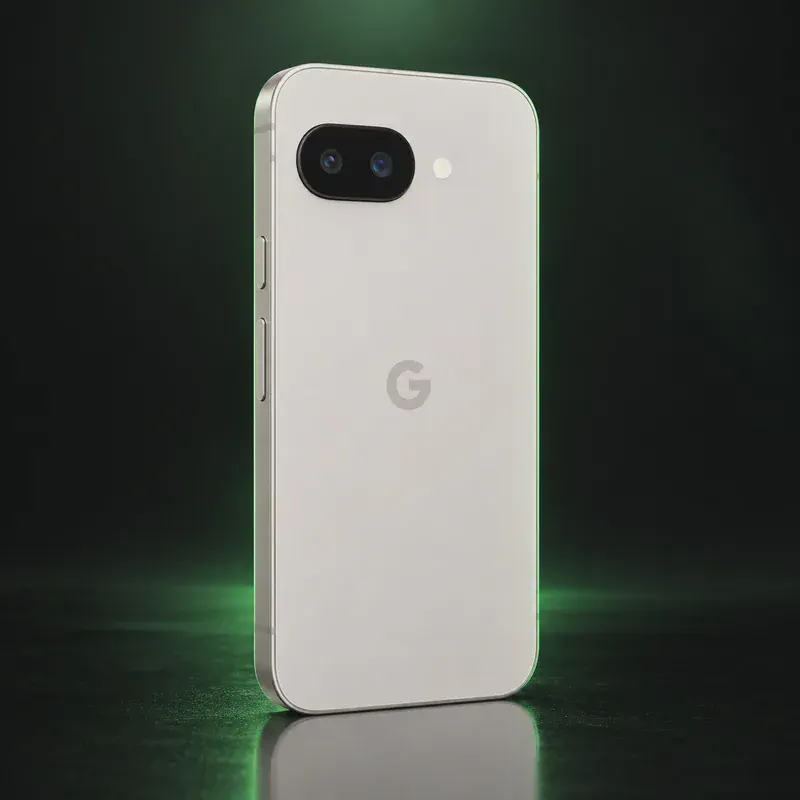
Google Pixel 6a
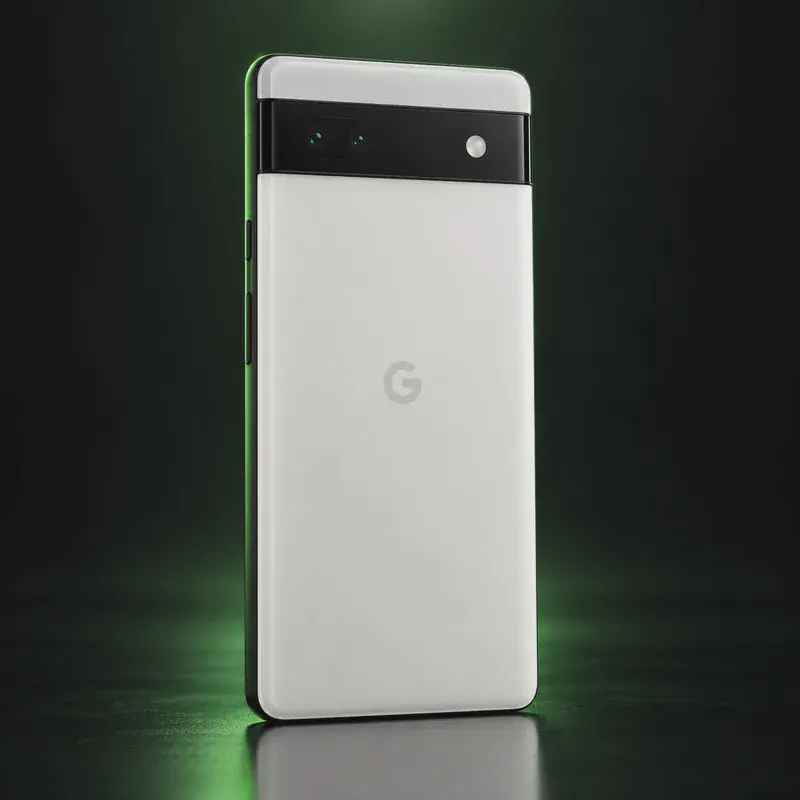
The Pixel 6a is Google’s 2022 budget phone: a 6.1-inch 60 Hz OLED screen, the first-generation Tensor chip, 6 GB of RAM, a 12.2 MP main camera and an IP67 rating. Renewed units are the cheapest way to get a phone that GrapheneOS, CalyxOS, LineageOS and iodéOS all support officially, with a community build of /e/OS on top.
The catch is time. Google’s security update promise for the 6a ends in July 2027, nine months from now. GrapheneOS says its official Pixel updates usually stop shortly after Google’s end date, and it treats any later extended support releases as a short stopgap, not something to plan around. CalyxOS lists the same July 2027 date.
Renewed buyers should also know about Google’s Pixel 6a Battery Performance Program. On affected units, a mandatory update reduces battery capacity and charging speed after 400 charge cycles to lower an overheating risk, and GrapheneOS shows a matching notice. Check the listing says unlocked, since a carrier-locked 6a cannot be unlocked. Google Wallet will not work on GrapheneOS, but some bank apps and Curve Pay (UK/EEA) still handle tap-to-pay. Treat the 6a as a low-cost way to learn a private OS before you buy a longer-lived Pixel.
Google Pixel 6a tech specs
| Released | July 2022 |
|---|---|
| Display | 6.1-inch OLED, 1080 × 2400, 60 Hz |
| Chip | Google Tensor (first generation) |
| RAM | 6 GB LPDDR5 |
| Storage | 128 GB (UFS 3.1) |
| Rear cameras | 12.2 MP wide (f/1.7) + 12 MP ultrawide (f/2.2) |
| Front camera | 8 MP (f/2.0) |
| Battery | 4,410 mAh typical (4,306 mAh minimum) |
| Charging | Up to 18 W wired; no wireless charging |
| Water/dust rating | IP67 |
| Weight | 178 g (6.3 oz) |
| Size | 152.2 × 71.8 × 8.9 mm |
| Headphone jack / microSD | No / No |
| Security chip | Titan M2 security coprocessor |
| SIM | Nano SIM + eSIM |
| Bootloader unlock | Yes on unlocked units; needs the June 2022 stock update or later |
| Launch price | $449 (US) |
| Codename | bluejay (used on OS download pages) |
Strengths and drawbacks
Private operating systems for the Google Pixel 6a
4 private systems officially support this exact model (codename bluejay), plus one community build or port that works with less polish and slower fixes. The table compares them on the things that matter day to day; the install guides below walk through each one.
| System | Support | Privacy | Effort | Apps and Google |
|---|---|---|---|---|
| GrapheneOSGrapheneOS 2026100600 (Android 17) | Official | 10/10 | Easy · web installer, ~20 min | Sandboxed Google Play, optional |
| CalyxOSCalyxOS 8.0.4.21 (Android 17) | Official | 8.5/10 | Moderate · official flasher | microG, optional |
| iodéOSiodéOS 7 (LineageOS 23, Android 16) | Official | 7.5/10 | Easy · official installer app | microG + built-in tracker blocker |
| LineageOSLineageOS 24.0 (Android 17) | Official | 7/10 | Advanced · fastboot and recovery | No Google unless you add it |
| /e/OS/e/OS Android 16 community build | Community build | 7.5/10 | Easy · installer app, or preinstalled | microG built in + App Lounge |
- GrapheneOS: Still fully supported; Google's minimum support ends July 2027, and GrapheneOS warns that official Pixel updates usually stop shortly after that.
- CalyxOS: Listed as a modern device with updates planned to July 2027.
- iodéOS: On iodé's official list with installer support and a relockable bootloader.
- LineageOS: Official builds are current (October 2026); bootloader stays unlocked. After July 2027 Google stops shipping firmware fixes for this model.
- /e/OS: Listed on the /e/OS device page as a community build (userdebug); bootloader not lockable.
Not available for this model
- Ubuntu Touch: Not on the Ubuntu Touch device list.
- Nura (postmarketOS): Boots on postmarketOS but is packaged in the 'testing' category only; not a usable daily OS.
- Sailfish OS: Sailfish OS is not offered for Pixel phones.
Privacy scores and effort levels are explained in how we score each system; the feature-by-feature OS table goes deeper.
Unlocking the bootloader on the Google Pixel 6a
Yes, on unlocked units. The 6a's factory software can't turn on OEM unlocking, so it needs the June 2022 update or later; any unit that has taken a system update since then already has it.
- Connect to the internet and install any pending system updates.
- Tap Settings > About phone > Build number seven times, then turn on Settings > System > Developer options > OEM unlocking.
- If the toggle won't turn on after updating, factory reset the phone and try again (GrapheneOS's documented fix for the 6a).
- Power off, hold Volume Down + Power, connect to a computer and unlock with a web installer or fastboot flashing unlock.
- After installing GrapheneOS, CalyxOS or iodéOS, relock the bootloader.
- Carrier-locked units, especially Verizon, can't be unlocked; check the listing says unlocked.
- Some 6a batteries are covered by Google's Battery Performance Program, which cuts capacity and charging speed after 400 charge cycles on affected units; GrapheneOS shows the same notice.
- Unlocking wipes the phone. Never relock with LineageOS or /e/OS installed.
How to install a private OS on the Google Pixel 6a
Short versions of each project's official guide. Always keep the official page open while you work: it has the exact files for your model and changes faster than any summary.
Installing GrapheneOSEasy · web installer, ~20 min
What you need: A computer with a Chromium-based browser (Chrome, Edge or Brave), a good USB-C cable, about 20 minutes. Installing erases the phone, so back up first.
Apps: Sandboxed Google Play, optional: runs as an ordinary app with no special access. Bootloader: Yes, the installer relocks the bootloader.
- Update the stock Android first, then turn on OEM unlocking: Settings → About phone, tap Build number seven times, then Settings → System → Developer options → OEM unlocking (the phone needs internet once for this).
- Restart into the bootloader: turn the phone off, then hold Volume Down while pressing Power.
- Open the web installer on your computer, connect the phone, and click Unlock bootloader. Confirm on the phone with the volume keys and Power.
- Click Download release, then Flash release, and leave the cable alone until it finishes.
- Click Lock bootloader and confirm on the phone. Start it up, and turn OEM unlocking back off in Developer options.
- Optional: install sandboxed Google Play from GrapheneOS's own App Store if you need banking or other Play-only apps.
Installing CalyxOSModerate · official flasher
What you need: A Windows, macOS or Linux computer, a USB-C cable, and the CalyxOS device flasher plus the factory image for your exact model. Installing erases the phone.
Apps: microG, optional: a free re-implementation of Google services for push and maps. Bootloader: Yes on supported devices; the flasher locks it at the end.
- Download the device flasher for your computer and the factory image for your model from calyxos.org.
- On the phone, turn on Developer options and OEM unlocking (some brands need an unlock code first, see the bootloader section above).
- Restart into the bootloader (fastboot) mode and connect the phone.
- Run the flasher and follow its prompts. It unlocks the bootloader, flashes CalyxOS and locks the bootloader again.
- During setup, choose whether to turn on microG. You can change your mind later.
Installing iodéOSEasy · official installer app
What you need: A Windows, macOS or Linux computer, a USB cable and the iodé installer app. Installing erases the phone.
Apps: microG, plus a built-in tracker and ad blocker you can tune per app. Bootloader: On some devices; check iodé's device list.
- Check that your exact model is on iodé's supported device list.
- Download the iodé installer for your computer.
- Turn on Developer options, USB debugging and OEM unlocking on the phone, then connect it.
- Follow the installer step by step; it downloads the right build and flashes it.
- Set up the phone and look at the blocker settings in the iodé app.
Installing LineageOSAdvanced · fastboot and recovery
What you need: A computer with Android platform-tools (adb and fastboot) installed, a USB cable, and an evening. Follow the install page for your exact codename. Installing erases the phone.
Apps: No Google services by default; you add microG or Google apps yourself if you want them. Bootloader: Usually no: the bootloader stays unlocked on most devices.
- Find your phone's page on the LineageOS wiki by its codename and read the whole install guide once before you start.
- Make sure the stock firmware is the version the guide asks for, then unlock the bootloader the brand's official way.
- Flash the partitions the guide lists (such as boot, dtbo or vendor_boot) and boot into Lineage Recovery.
- In recovery, choose Factory reset → Format data, then Apply update → Apply from ADB, and run adb sideload with the LineageOS zip.
- Reboot. Add F-Droid for apps; skip the optional Google apps package if you want to stay degoogled.
Installing /e/OSEasy · installer app, or preinstalled
What you need: For a phone you already own: a Windows, macOS or Linux computer and a USB cable. The Easy Installer covers many models; others use a command-line guide on the device's page. Installing erases the phone.
Apps: microG built in, plus the App Lounge store that shows each app's trackers. Bootloader: stays unlocked with this build.
- Look up your exact model on the /e/OS device list and check whether it supports the Easy Installer.
- Download the Easy Installer (or the build and guide from the device page) on your computer.
- Turn on Developer options, USB debugging and OEM unlocking on the phone, and connect it.
- Follow the installer's screens: it unlocks, flashes /e/OS and, where possible, relocks the bootloader.
- Set up the phone. A Murena account is optional; you can skip it.
Who the Google Pixel 6a is for
Someone who wants to try a degoogled phone for very little money, or needs a spare or test phone. Not a phone to keep past mid-2027.
Google Pixel 6a questions, answered
When does Pixel 6a support end?
Google's minimum is July 2027. GrapheneOS and CalyxOS both list that date, and GrapheneOS notes official updates typically end shortly after it.
Will GrapheneOS keep supporting the Pixel 6a after July 2027?
GrapheneOS may offer extended support releases for a while, but its FAQ says they can't provide full security patches and should only be a stopgap while you plan a new phone.
What is the Pixel 6a battery issue?
Google found that some 6a batteries can overheat and pushed a mandatory update that limits capacity and charging after 400 cycles on affected phones. Eligible owners could get a battery replacement or compensation through Google's program; check Google's page for current terms.
Sources
- Google Pixel Help — Pixel phone hardware tech specs (Pixel 6a)
- Google Pixel Help — Pixel update schedule
- Google Pixel Help — Pixel 6a Battery Performance Program
- GrapheneOS FAQ — supported devices, support dates, extended support
- GrapheneOS web install guide (Pixel 6a OEM unlocking note)
- GrapheneOS releases (2025100300: Pixel 6a battery notice)
- CalyxOS device support timelines
- LineageOS wiki — bluejay
- /e/OS — bluejay
- iodéOS official supported devices
- postmarketOS wiki — Google Pixel 6a (google-bluejay)
Every fact on this page comes from the maker or the OS project's own pages, checked October 14, 2026. We don't claim hands-on testing. Found something out of date? Report a correction.